
ProxyAI

Overview of ProxyAI
ProxyAI: Your All-in-One AI Copilot for JetBrains
ProxyAI is a powerful JetBrains extension designed to elevate your coding experience. It provides access to state-of-the-art Large Language Models (LLMs) like GPT-4o, Claude 3.5 Sonnet, Code Llama, and others, directly within your IDE. Whether you're a seasoned developer or just starting, ProxyAI streamlines your workflow with AI-powered assistance.
What is ProxyAI?
ProxyAI is an AI-powered code assistant that integrates seamlessly with JetBrains IDEs. It leverages the power of LLMs to provide features such as code completion, natural language editing, and intelligent suggestions. This helps developers write code faster, reduce errors, and stay focused on problem-solving.
How does ProxyAI work?
ProxyAI connects to various LLMs through API keys, allowing you to choose the provider that best suits your needs. It supports both cloud-based and privately hosted models, giving you flexibility and control over your data. The plugin analyzes your code in real time and provides context-aware suggestions, making it easier to write and understand complex code.
Key Features:
- Highly Configurable: Connect with your preferred cloud provider using your own API key or use a privately hosted model within your corporate network.
- Bring Your Own Key: Connect the plugin with your preferred provider using your own API key. ProxyAI also offers a hosted service for a full experience.
- Privacy Matters: Build your own local AI assistant. The leading open-source extension connects your locally running LLM with your favorite JetBrains IDE without requiring an internet connection or sending your data externally.
- Ollama Integration: Automatically detect and utilize models handled by Ollama without any additional setup.
- GGUF Support: Easily connect your custom model.
- Llama C/C++ Integration: Run dozens of open-source LLMs with just a few clicks, without needing any additional third-party software.
- Chat: Get instant coding advice through a ChatGPT-like interface that accepts image input. Ask questions, share screenshots, seek explanations, or get guidance on your projects without leaving your IDE.
- Auto Apply: Apply AI-suggested code directly into your codebase. Preview modifications in diff view and approve or reject them with a single click.
- Use Images: Chat with your images. Manually upload or let the system auto-detect screenshots.
- Reference Files and Folders: Quickly access and reference project files and folders for context-aware coding assistance.
- Reference Web Docs: Quickly reference web docs in your chat session, such as API guides and library manuals.
- Reference Git History: Quickly reference commit logs and changes in your chat session.
- Search the Web: Connect your favorite LLM to the web for relevant information.
- Customize Your Assistant: Choose between multiple personas for specific needs.
- Code Assistant: Get code assistance outside of your cursor's position as you make changes.
- Autocomplete Your Code: Receive single-line or whole-function autocomplete suggestions as you type.
- Edit Code in Natural Language: Highlight the code you want to modify, describe the desired changes, and watch ProxyAI work its magic.
- Generate Commit Messages: Create concise and descriptive commit messages based on the changes made in your codebase.
How to use ProxyAI?
- Installation: Install the ProxyAI extension from the JetBrains Marketplace.
- Configuration: Configure the plugin with your API key or connect to a locally running LLM.
- Usage: Use the chat interface to ask questions, get coding advice, or edit code in natural language. Use the autocomplete feature to generate code suggestions as you type.
Why choose ProxyAI?
ProxyAI offers several advantages over traditional coding methods:
- Increased Productivity: AI-powered code completion and editing can significantly reduce the time it takes to write code.
- Reduced Errors: Intelligent suggestions help you avoid common coding mistakes.
- Improved Code Quality: ProxyAI can help you write cleaner, more efficient code.
- Seamless Integration: ProxyAI integrates seamlessly with your favorite JetBrains IDEs, allowing you to stay in your familiar coding environment.
Who is ProxyAI for?
ProxyAI is for a wide range of users, including:
- Professional Developers: Streamline your workflow and increase your productivity.
- Beginner Programmers: Get help with coding concepts and learn best practices.
- Teams: Collaborate more effectively with AI-powered assistance.
Pricing:
ProxyAI offers different pricing plans to meet your needs:
- Free: Enjoy core features with rate-limited autocompletions and messages.
- Pro: Unlimited Code Assistant queries, autocompletions, messages, and web searches for $10/month.
- Enterprise: Centralized API key management and dedicated support for $20 per user/month.
Available IDEs
- IntelliJ IDEA
- PyCharm
- PhpStorm
- WebStorm
- Rider
- GoLand
- CLion
- Others
Conclusion
ProxyAI is a cutting-edge AI copilot for JetBrains IDEs that can revolutionize the way you code. With features like code completion, natural language editing, and integration with leading LLMs, ProxyAI streamlines your workflow, reduces errors, and helps you write higher-quality code. Whether you're a professional developer, a beginner programmer, or part of a team, ProxyAI can help you achieve your coding goals faster and more efficiently.
AI Programming Assistant Auto Code Completion AI Code Review and Optimization AI Low-Code and No-Code Development
Best Alternative Tools to "ProxyAI"

CodeAssist is an AI assistant that writes code in Jetbrains IDEs and Visual Studio Code. Powered by GPT-4, it understands natural language and can modify your code, but is not currently maintained.
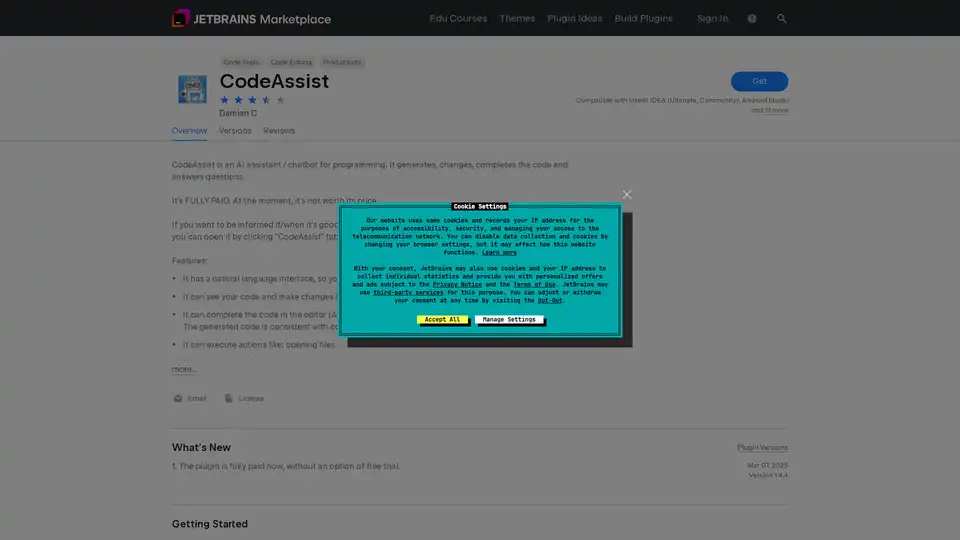
CodeAssist is an AI programming assistant plugin for JetBrains IDEs that generates, modifies, and completes code while answering programming questions through natural language interface.
Trae Plugin is an AI code assistant that provides code completion, explanation, unit test generation, and debugging within VSCode and JetBrains, supporting 100+ languages.
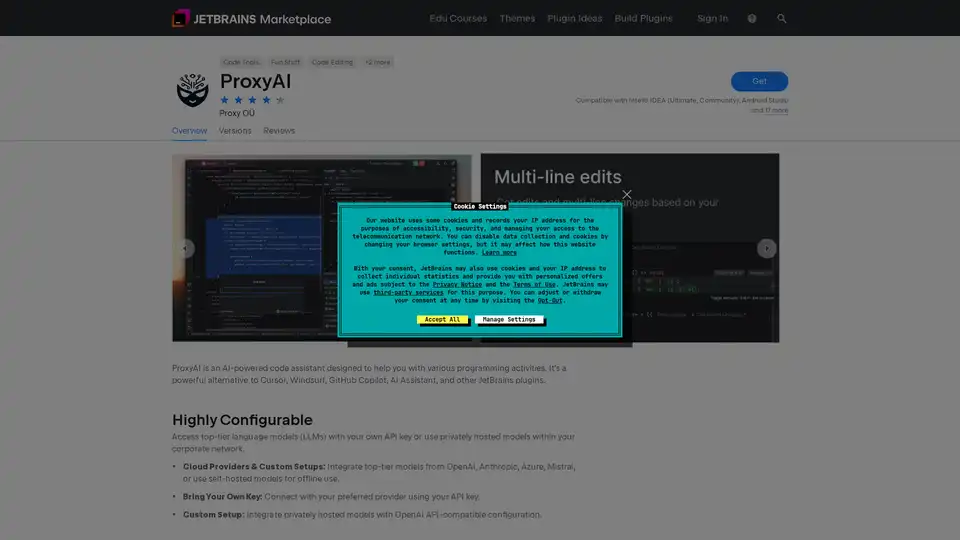
ProxyAI is an AI-powered code assistant for JetBrains IDEs, offering code completion, natural language editing, and offline support with local LLMs. Enhance your coding with AI.