
one.email
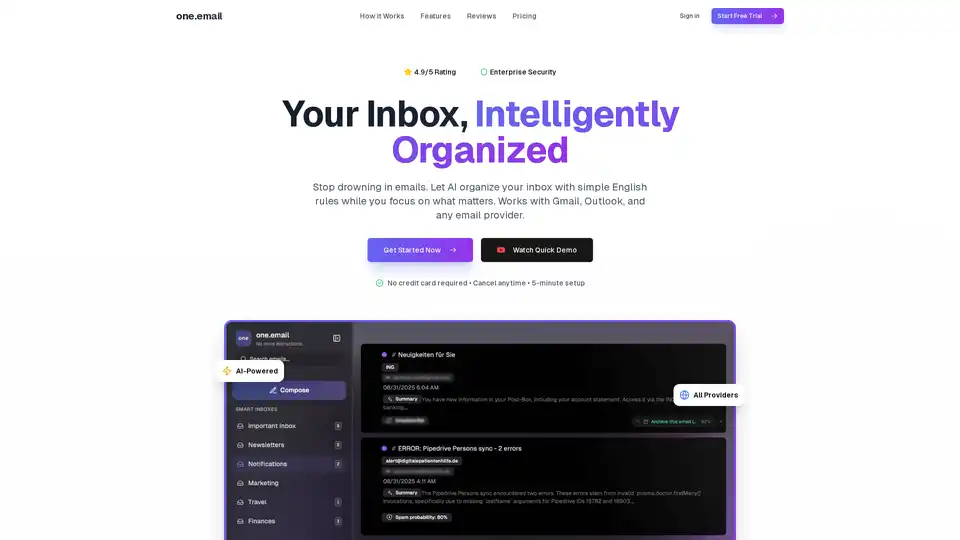
Overview of one.email
one.email: Reclaim Your Inbox with AI-Powered Email Management
Tired of drowning in a sea of emails? one.email is an intelligent email client that uses AI to bring clarity and organization to your inbox. It works with Gmail, Outlook, and any email provider, saving you valuable time and reducing stress.
What is one.email?
one.email is an AI-powered email management tool designed to intelligently organize your inbox. It automatically categorizes emails, suggests actions, and offers a chat-style interface for easier reading. The platform aims to help professionals who value their time and desire a more sane email experience.
How does one.email work?
one.email uses advanced natural language processing (NLP) to analyze the content of your emails. You can describe how you want your emails organized in plain English, such as "urgent client emails" or "invoices from this month." The AI then automatically categorizes matching emails based on semantic understanding. It learns from your behavior over time, suggesting the best next action for each email.
Key Features of one.email:
- AI Organization: Automatically categorize emails using AI that understands context.
- Plain English Rules: Create custom inboxes with simple English rules, eliminating the need for complex filters.
- Smart Action Suggestions: AI learns your behavior and suggests next actions for each email with confidence scores.
- Chat-Style Threads: View emails like iMessage conversations for intuitive reading.
- Semantic Search: Find emails by meaning, not just keywords. Ask questions in natural language.
- Split Inboxes: Create custom inboxes for different categories of emails, like 'urgent client emails'.
- Universal Support: Works with Gmail, Outlook, Yahoo, iCloud, and any IMAP provider.
- Bank-Level Security: Simple authentication, encrypted storage, and zero access to passwords (for Google/Outlook accounts).
- Calendar Sync: Auto-extract events from emails and sync with your calendar.
Who is one.email for?
one.email is ideal for:
- Professionals: Those who spend a significant amount of time managing emails.
- Entrepreneurs: Who need to stay on top of client communications and business operations.
- Anyone with Multiple Email Accounts: Simplifies managing multiple inboxes in one place.
Why choose one.email?
- Save Time: Automatically organizes your inbox, saving you hours each week.
- Reduce Stress: Eliminates the frustration of manually managing emails.
- Improve Productivity: Focus on important tasks with AI-powered organization.
- Easy to Use: Simple English rules make it easy to customize your inbox.
- Secure: Bank-level security ensures your data is protected.
How to use one.email?
- Connect Your Email Accounts: Supports Gmail, Outlook, Yahoo, iCloud, and any IMAP provider.
- Create Split Inboxes: Define custom inboxes using plain English rules.
- Let AI Organize: The AI learns and categorizes emails automatically.
- Take Action: Use smart action suggestions to quickly archive, reply, or forward emails.
- Enjoy a Clutter-Free Inbox: Focus on what matters with AI-powered organization.
User Reviews:
Users have praised one.email for its ability to:
- Reduce email management time.
- Simplify complex email threads with the chat-style interface.
- Provide accurate AI-powered organization.
- Offer a seamless experience across devices.
How does one.email compare to Gmail/Outlook and Superhuman?
| Feature | Gmail/Outlook | Superhuman | one.email |
|---|---|---|---|
| AI Organization | ✕ | Limited | ✓ Advanced |
| @one.email Address | ✕ | ✕ | ✓ |
| Plain English Rules | ✕ | ✕ | ✓ |
| Action Suggestions | ✕ | ✕ | ✓ |
| Chat-Style Threads | ✕ | ✕ | ✓ |
| Price | Free | $30/mo | $7/mo |
Pricing:
one.email offers a free tier and a professional plan:
- Free: Manual email rules & triage, 10 AI credits/month, real-time sync, unlimited storage.
- Professional: Everything in Free, custom @one.email address, unlimited AI credits, priority support. ($7/month billed annually).
FAQ:
- How does the AI organization work? Our AI analyzes your email content using advanced natural language processing. You describe what you want in plain English, and we automatically categorize matching emails using semantic understanding.
- Is my email data secure? Absolutely. We use bank-level encryption, simple authentication, and your data is encrypted both in transit and at rest.
- Which email providers are supported? We support Gmail, Outlook, Yahoo, iCloud, and any IMAP/SMTP provider.
- Can I try it before paying? Yes! Free users get 7 days of AI features to test the system. You can also use the free tier with 10 AI credits per month indefinitely.
Conclusion:
one.email provides a powerful solution to email overload. By leveraging AI, it offers intelligent organization, saves time, and reduces email-related stress. With its plain English rules and intuitive interface, it's a valuable tool for professionals, entrepreneurs, and anyone seeking a more manageable email experience. Try one.email today and reclaim your inbox!
AI Task and Project Management AI Document Summarization and Reading AI Smart Search AI Data Analysis Automated Workflow
Best Alternative Tools to "one.email"
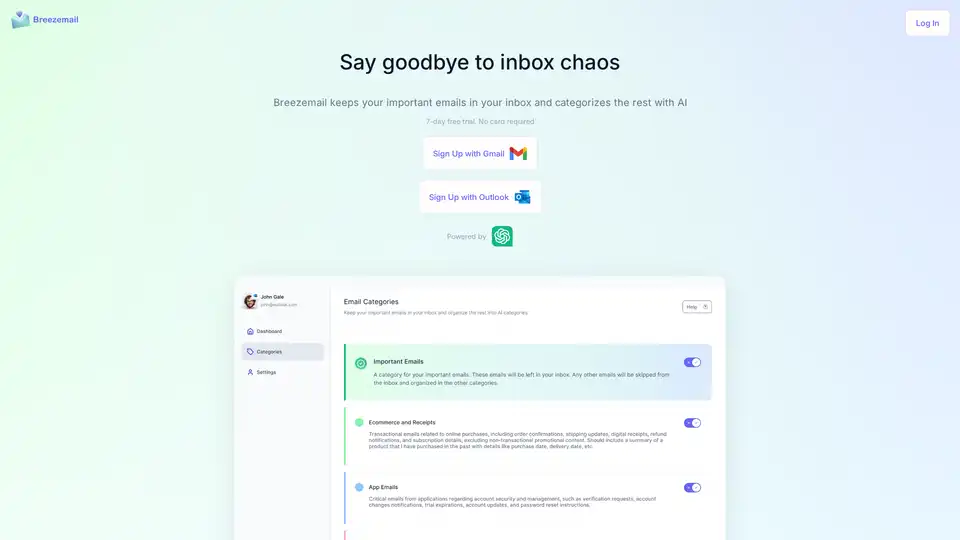
Breezemail uses AI to categorize your emails, keeping important ones in your inbox and organizing the rest into smart categories. Start your free trial today!
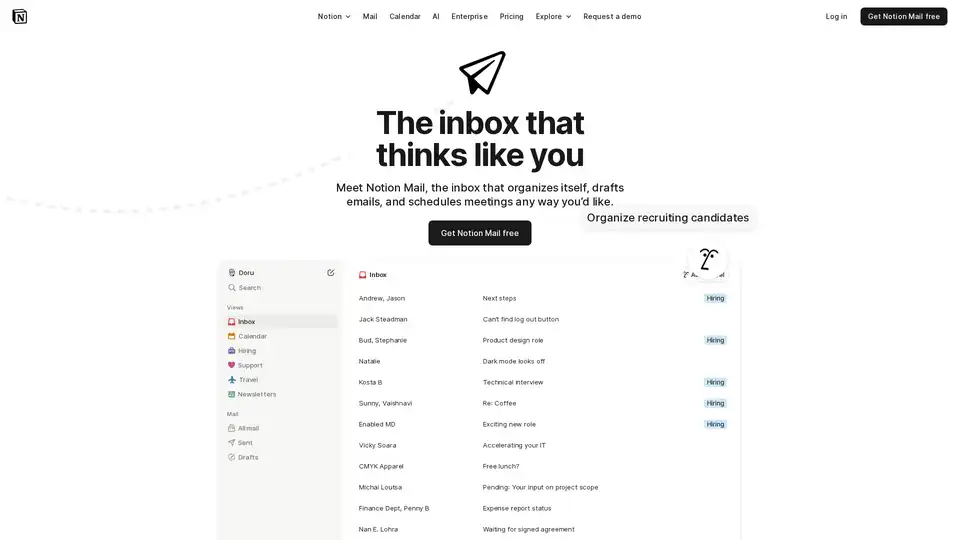
Notion Mail is an AI-powered inbox that streamlines email management with smart organization, AI drafting, and integrated scheduling. Connect Gmail and experience email like Notion.
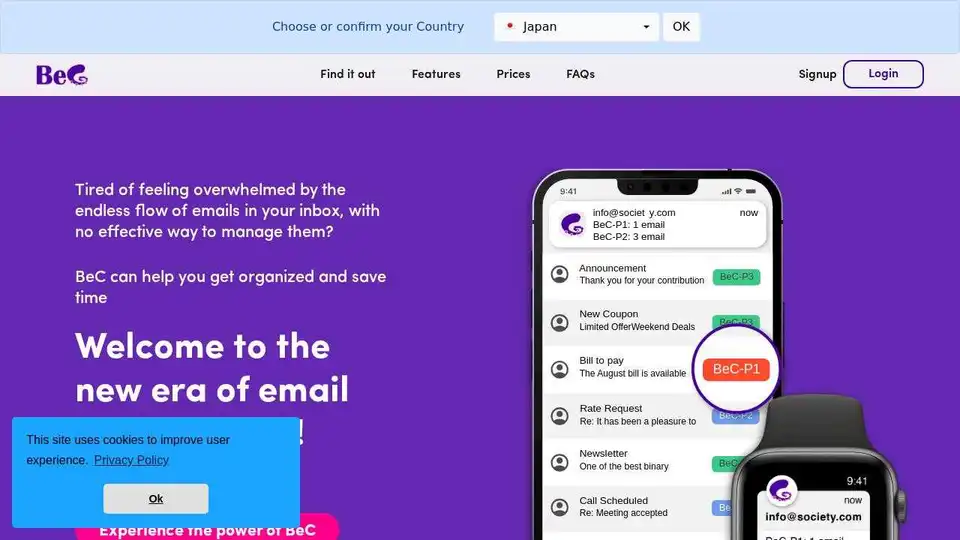
BeC uses AI to automatically classify and organize emails by priority, notifying you only of important ones. Reclaim your time and focus with BeC's smart email management.
Inbox Zero is an AI-powered email assistant that helps you organize your inbox, draft replies, bulk unsubscribe from unwanted emails, and gain insights with email analytics. It integrates with Gmail and Outlook.