
Image to Pixel
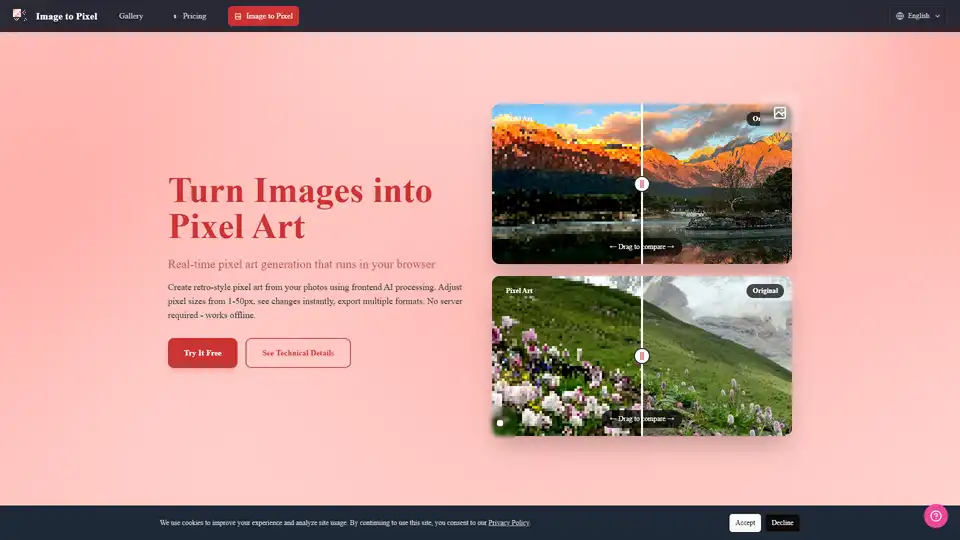
Overview of Image to Pixel
Image to Pixel: AI Pixel Art Generator
What is Image to Pixel?
Image to Pixel is an AI-powered online tool that allows you to convert your images into retro-style pixel art. It's a browser-based application, meaning it runs directly in your browser without requiring any server-side processing. This ensures your privacy and allows you to work offline.
How does Image to Pixel work?
Image to Pixel uses advanced AI algorithms to transform your images into pixel art in real-time. It leverages the Canvas API for frontend processing and provides a live preview of the pixelated effect. You can adjust various parameters to customize the output to your liking. Here's a breakdown of the process:
- Image Input: You upload an image in PNG, JPEG, GIF, or WebP format.
- Pixel Size Adjustment: You can adjust the pixel size from 1 to 50 pixels. Larger values create more pronounced pixelation effects.
- Image Adjustments: Further refine the output by adjusting brightness, contrast, and saturation.
- Special Effects & Presets: Apply special effects, use game console presets (Web, Print, Social), or leverage color extraction and art style presets for different aesthetic outcomes.
- Export: Export your pixel art in PNG, JPEG, or WebP formats with customizable upscale factors (1x, 2x, 3x, 4x).
Key Features:
- Real-time Pixel Art Generation: See the pixelated effect instantly as you adjust the settings.
- Frontend Processing: All processing happens in your browser, ensuring privacy and offline functionality.
- Customizable Parameters: Control pixel size, brightness, contrast, and saturation.
- Multiple Export Formats: Export your pixel art in PNG, JPEG, and WebP formats.
- Game Console Presets: Quickly apply optimized settings for web, print, or social media.
- AI-Powered Color Optimization: The tool automatically optimizes color palettes for authentic retro gaming aesthetics.
Why is Image to Pixel important?
- For Indie Game Developers: Create production-ready pixel art assets for your games.
- For Digital Artists: Explore a new artistic style and create unique digital artworks.
- For Retro Enthusiasts: Easily transform your photos into nostalgic 8-bit or 16-bit pixel art.
Where can I use Image to Pixel?
- Game Development: Generate sprites, backgrounds, and other assets for your games.
- Digital Art: Create pixel art illustrations, animations, and other digital artworks.
- Social Media: Share your pixelated photos on social media platforms.
- Website Design: Use pixel art for website icons, logos, or backgrounds.
Technical Details:
Image to Pixel utilizes the Canvas API for real-time rendering and frontend processing. This allows for fast and efficient image transformation directly in your browser. The AI algorithms used in the tool optimize color palettes and create authentic retro gaming aesthetics.
How to convert image to pixel art with Image to Pixel:
- Upload your image.
- Adjust the pixel size and other settings to your liking.
- Choose your desired export format and upscale factor.
- Click the "Export" button.
Examples:
- Convert portraits into 8-bit or 16-bit pixel art for use as avatars or game characters.
- Transform landscapes into retro pixel style scenes for use in games or digital art.
- Create pixel art versions of famous landmarks or urban scenes.
Is Image to Pixel completely free to use?
Yes, Image to Pixel is free to get started. While there might be paid options in the future (pricing is mentioned in the original document, but not provided in the snippet), the core functionality is available for free.
In conclusion, Image to Pixel provides a quick and easy way to transform your images into stunning pixel art. Its real-time processing, customizable parameters, and multiple export formats make it a valuable tool for game developers, digital artists, and anyone who loves retro aesthetics. Try it out for free and create your own pixel masterpieces!
AI Generated Art Image Enhancement and Repair Image Style Transfer AI Background Removal and Replacement AI Avatar and Cartoonization 3D Modeling and Rendering Logo and UI Design
Best Alternative Tools to "Image to Pixel"
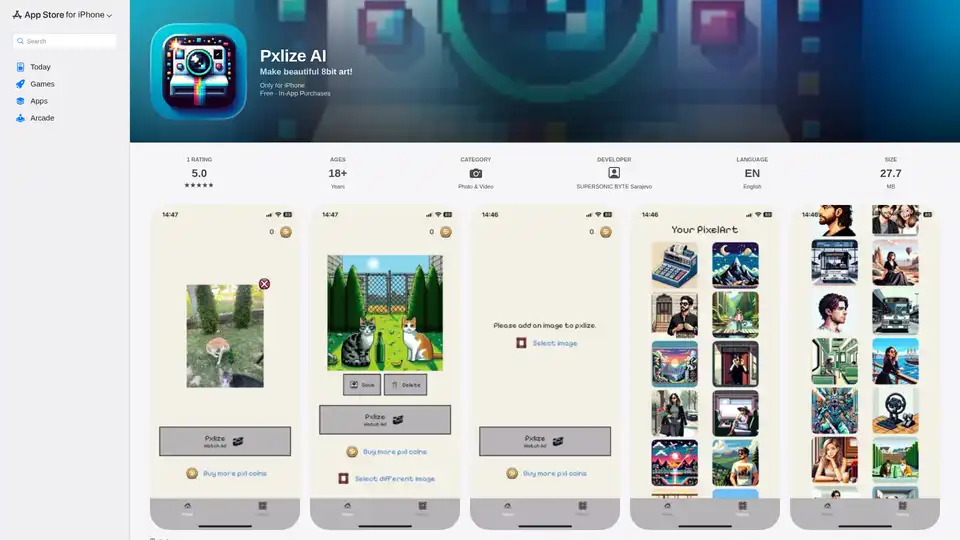
Pxlize AI is an iPhone app that uses AI to transform your photos into 8-bit pixel art. Gain Pxl coins by watching ads or through in-app purchases to generate your pixelated masterpieces.
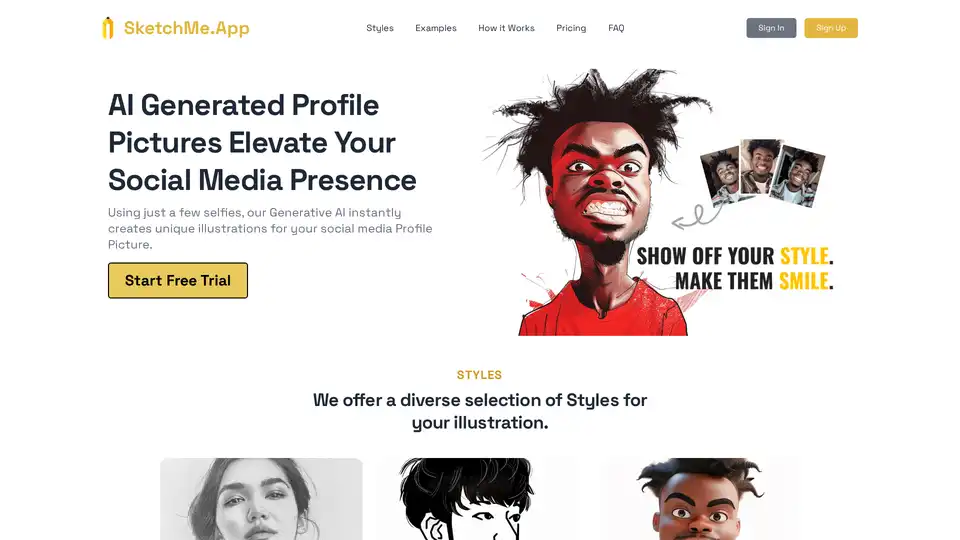
SketchMe.App uses generative AI to create unique profile pictures from your selfies. Choose from various styles like Pencil Sketch, Flat Design, and Pixar Animation to elevate your social media presence.
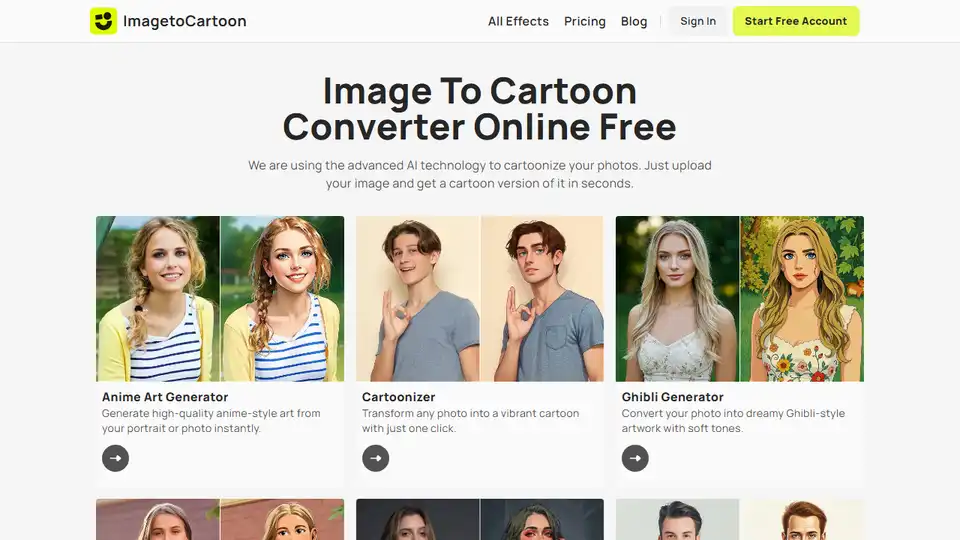
ImageToCartoon is a free online AI tool to convert photos to cartoons. Choose from 80+ styles & create unique avatars, prints, & social media content instantly.
Discover TheToolBus.ai: Free online tools for PDFs, images, calculators, converters, and marketing. AI-powered features like image to text and background removal. No signup, fast, and efficient for everyday tasks.