
Winxvideo AI
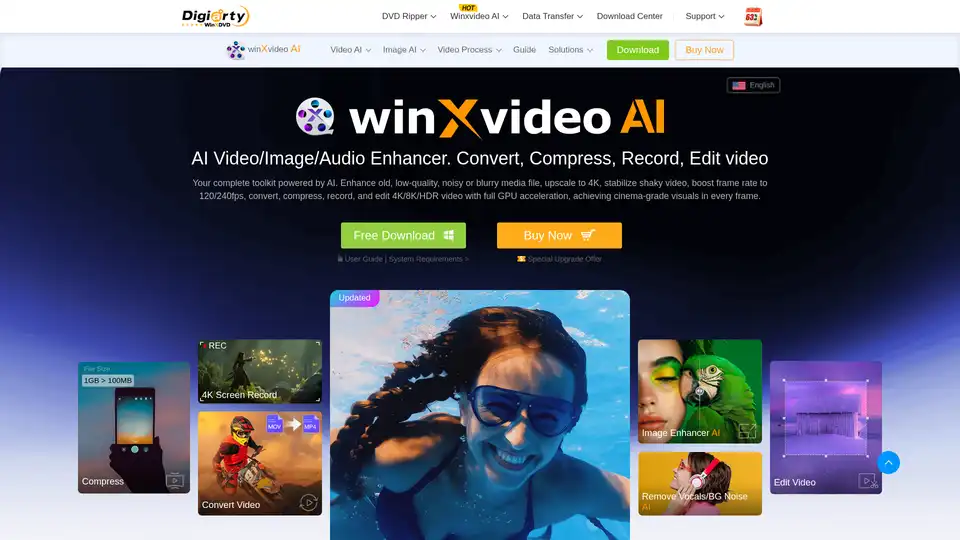
Overview of Winxvideo AI
Winxvideo AI: The Ultimate AI-Powered Video Toolkit
Winxvideo AI is a comprehensive video toolkit designed to enhance, convert, edit, and record videos with the power of artificial intelligence. This all-in-one solution caters to a wide range of users, from photographers and vloggers to marketers, sports fans, gamers, and educators, providing them with the tools they need to optimize their visual storytelling.
What is Winxvideo AI?
Winxvideo AI, a rebranded and upgraded version of WinX HD Video Converter Deluxe, is a one-stop AI video toolkit designed to upscale video and images from low quality to 4K, stabilize shaky footage, and boost frame rates from 24 to 60/120fps. It also offers features to convert, compress, and edit videos, as well as record screens with full GPU acceleration, ensuring cinema-grade visuals in every frame.
How does Winxvideo AI work?
Winxvideo AI leverages advanced AI algorithms to enhance video and image quality. Some of its core functionalities include:
- AI Video/Image Enhancement: Utilizes generative AI to elevate video quality, restore image detail, and improve audio clarity.
- AI Super Resolution: Upscales both real-world and AI-generated videos up to 4K, while denoising, deblurring, and generating real details without artifacts.
- AI Video Stabilization: Removes camera shake, motion blur, and handheld shakiness from videos captured with various devices like GoPro, DJI, DSLR, and iPhone.
- AI Frame Interpolation: Converts low frame rate videos (24/30fps) to fluid 60/120fps, or even up to 480fps, by intelligently estimating motion and scene changes.
- AI Image Enhancer: Enhances low-quality and low-resolution AI art, photos, and images, denoises, deblurs, upscales, and adds rich details.
- AI Restore Old Photo: Restores old photos with enhanced faces, vibrant colors, and flawless details, sharpens blurred faces, removes noise and artifacts, repairs scratches, and colorizes black-and-white images.
- AI Noise Suppression & Vocal Remover: Removes background noise from audio and separates vocals or instrumentals from any video or audio.
Key Features and Benefits
- Enhance Video/Image/Audio with Generative AI: Improve the quality of your media files with advanced AI algorithms.
- AI Super Resolution: Achieve up to 80% faster video upscaling and enhancements.
- AI Video Stabilization: Correct shaky footage for smoother viewing experiences.
- AI Frame Interpolation: Create stunning slow-motion effects and enhance video smoothness.
- Convert & Compress 4K/8K/HDR Video: Convert video to various formats and compress large files without losing quality.
- Screen Recorder & Video Editor: Record your screen and edit videos with a variety of tools, including trim, merge, crop, subtitle, effect, and watermark options.
How to use Winxvideo AI?
- Click on "Image AI," "Video AI," "Audio AI," "Video Converter," "Downloader," or "Recorder," depending on your needs.
- Load your video, image, or audio file, and choose the specific format or feature you want to use.
- Hit the "RUN" button and let Winxvideo AI work its magic!
Who is Winxvideo AI for?
Winxvideo AI is tailored for a wide range of users:
- Photographers and Vloggers: Optimize visual storytelling with enhanced media quality and editing tools.
- Marketers: Create engaging video content for social media and advertising campaigns.
- Sports Fans: Stabilize action camera footage and create slow-motion replays.
- Gamers: Record and edit gameplay footage for sharing and tutorials.
- Educators: Create engaging video lessons and presentations.
Why choose Winxvideo AI?
- All-in-One Solution: Combines video enhancement, conversion, editing, and recording in a single application.
- AI-Powered: Leverages advanced AI algorithms to deliver superior results.
- GPU Acceleration: Ensures fast and efficient video processing.
- User-Friendly Interface: Simplifies video processing for users of all skill levels.
- Versatile Features: Offers a wide range of tools for enhancing, converting, and editing videos.
Optimize Your Visual Storytelling like a Pro
Winxvideo AI provides an all-in-one solution, spanning video stabilization, resolution upscaling, basic editing, and batch conversion. Elevate your photography and tailor your masterpiece to diverse devices and platforms.
What problems does Winxvideo AI solve?
Winxvideo AI addresses common challenges faced by video creators and enthusiasts:
- Noisy or Grainy Video: Reduces noise and grain in low-quality videos.
- Shaky Footage: Stabilizes shaky footage for smoother viewing experiences.
- Low-Quality Images: Enhances the quality of low-resolution images.
- Motion Blur: Reduces motion blur in fast-paced videos.
- Video Editing Challenges: Simplifies video editing with a variety of easy-to-use tools.
What is the value of using Winxvideo AI?
- Improved Video Quality: Enhance the visual appeal of your videos with AI-powered enhancements.
- Efficient Video Processing: Convert and compress videos quickly with GPU acceleration.
- Easy Video Editing: Edit videos with a variety of user-friendly tools.
- Versatile Video Toolkit: Access a wide range of features for enhancing, converting, and editing videos.
Winxvideo AI empowers users to create high-quality videos with ease, making it an invaluable tool for anyone looking to enhance their visual storytelling capabilities.
AI Generated Art Image Enhancement and Repair Image Style Transfer AI Background Removal and Replacement AI Avatar and Cartoonization 3D Modeling and Rendering Logo and UI Design
Best Alternative Tools to "Winxvideo AI"
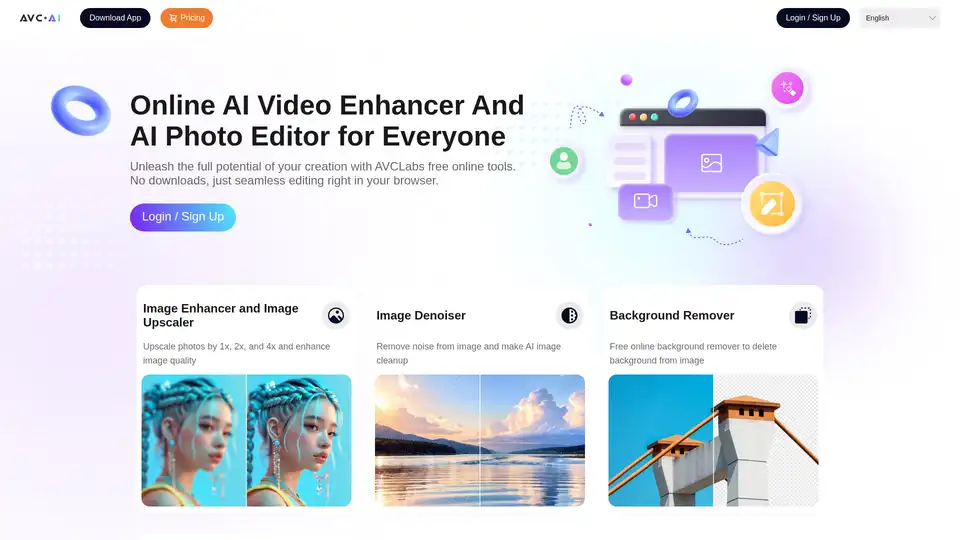
AVCLabs offers free online AI tools to enhance images and videos effortlessly in your browser. Upscale photos up to 4x, denoise, remove backgrounds and objects, stabilize videos, and colorize black-and-white photos for professional results without downloads.
Enhance your videos with Topaz Video, an AI-powered software for upscaling, denoising, stabilizing, and smoothing footage. Trusted by creative pros for cinema-grade results.

AVCLabs Video Enhancer AI uses advanced AI technology to enhance video quality, upscale resolution from SD to 8K, restore old footage, colorize black-and-white videos, and stabilize shaky footage with professional-grade results.

Discover bigmp4, a cutting-edge AI tool for lossless video enlargement to 2K/4K/8K, black-and-white colorization, AI interpolation for smooth 60-240fps, and silky slow motion. Supports MP4, MOV, and more for vivid enhancements.