
Tweetspear
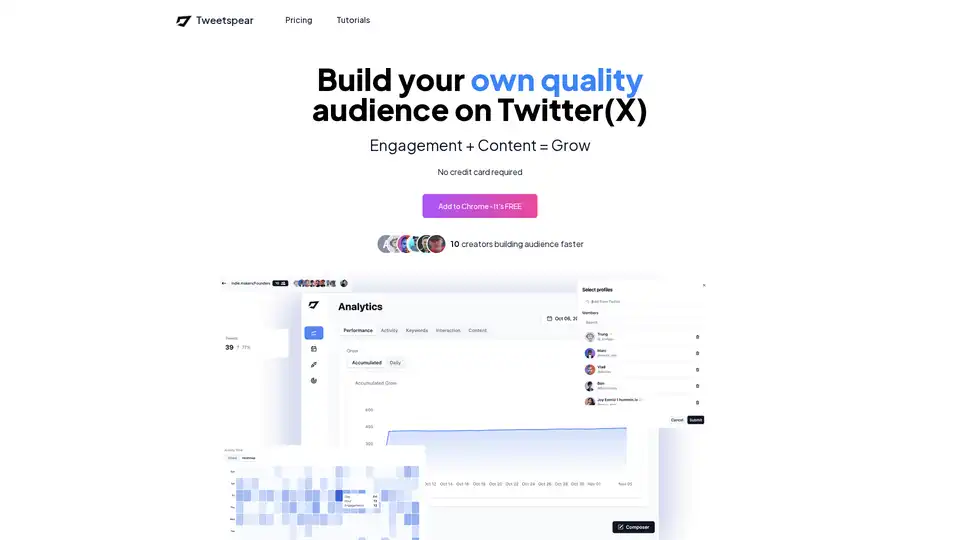
Overview of Tweetspear
Tweetspear: Grow Your Twitter (X) Audience with AI
What is Tweetspear? Tweetspear is a Chrome extension designed to help you build a quality audience on Twitter (X) by automating engagement, scheduling posts, and providing detailed analytics.
How does Tweetspear work? Tweetspear combines engagement and content strategies to help you grow your audience faster. It offers features such as:
- Analytics: Track followers, activity, and interactions.
- Posting: Schedule and deliver content without leaving Twitter.
- Engagement: Build strong relationships by engaging from one place.
- Replier: Accurately reply to any situation in any language while maintaining your personality.
- Filtering: Clean your feed by removing distractions.
Key Features
- Behavior Analytics: Provides insights into followers, activity, interaction, and more.
- Accumulated followers growth
- Daily followers change
- See your own activity
- Activity time and heatmap
- Commonly used keywords
- Interaction circle and distribution
- Posted tweet list and replies list
- Content Scheduling: Schedule and deliver content in the best way without leaving Twitter.
- Post now, schedule post, and update post
- Tag posts and generate ideas
- Upload images/videos
- Engagement Tools: Build strong relationships by engaging from one place.
- Create groups of profiles and custom feeds
- Reply to post, skip posts, and auto-like
- AI-Powered Replier: Reply accurately to any situation with customizable goals and tones.
- Quick replies and custom replies
- Customize goals and tones
- Feed Filtering: Remove distractions from your feed.
- Filter by user properties and tweet properties
- Remove ads
How to use Tweetspear?
- Add to Chrome: Install the Tweetspear extension from the Chrome Web Store.
- Connect to Twitter: Log in to your Twitter (X) account.
- Start Engaging: Use the features to analyze, schedule, and engage with your audience.
Why choose Tweetspear?
- Comprehensive Analytics: Understand your audience behavior and optimize your content strategy.
- Efficient Scheduling: Plan and schedule your tweets in advance to maintain a consistent presence.
- Enhanced Engagement: Build meaningful relationships with your followers through targeted engagement.
- AI-Powered Responses: Save time and ensure accurate responses with customizable AI replies.
- Clean Feed: Focus on relevant content by filtering out distractions.
Who is Tweetspear for?
Tweetspear is ideal for:
- Social Media Managers: Streamline Twitter management and improve engagement.
- Content Creators: Schedule posts and analyze audience behavior.
- Businesses: Build a strong presence on Twitter and connect with customers.
- Indie Makers: Automate engagement and grow your audience efficiently.
Pricing
Tweetspear offers flexible pricing plans, including a free trial with limited features. Paid plans include:
- Creator: Unlimited custom feeds, post scheduling, tag tweets, ad removal, and unlimited analytics period for $9/month (billed monthly) or save 20% when billed yearly.
- Lifetime Access: One-time payment of $219 for full features.
User Review
Vlad, an indie maker, shares, "Committed to posting value more often I was looking for tools to help me automatize some of that work. I found @tweetspear_app and pulled the trigger."
FAQ
- Is Tweetspear free? Yes, you can try it for free with a limited number of features.
- Can I get a refund? Yes, you have a 14-day money-back guarantee with no questions asked.
- How many devices can I use my license on? Each license key can be used on up to 5 devices.
- How many accounts can I attach to the Chrome extension? You can use unlimited accounts.
- Where is my data stored? All your data is stored locally on your browser.
- How can I report a bug? Report it on Twitter or email to fpalacios@tweetspear.com.
- Can I receive new updates after I buy a license? Yes, all future updates are included with your purchase.
Tweetspear is a valuable tool for anyone looking to grow their audience and improve their engagement on Twitter (X) by leveraging AI-powered automation and analytics. By focusing on valuable content and consistent engagement, Tweetspear helps users build strong relationships and expand their reach on Twitter.
AI Task and Project Management AI Document Summarization and Reading AI Smart Search AI Data Analysis Automated Workflow
Best Alternative Tools to "Tweetspear"

TweetFox is an AI-driven Twitter automation platform that generates unique tweets and threads, offers deep analytics, and smart scheduling to help users create engaging content and grow their audience quickly.

Qura AI helps you grow your Twitter (X) and LinkedIn accounts with ease. Try Qura now to enhance your social media presence.
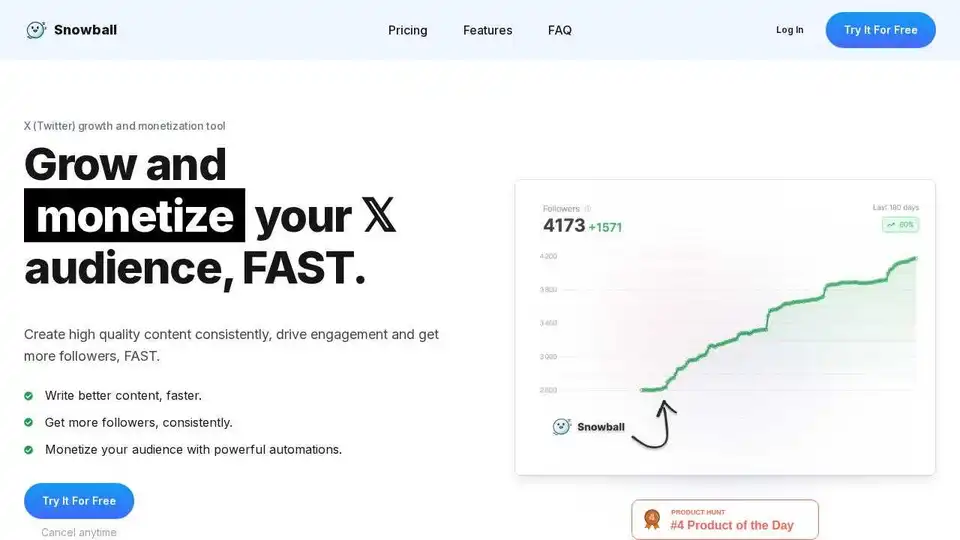
Snowball helps you grow and monetize your Twitter audience with AI-powered content creation, scheduling, and engagement tools. Create better content, faster.

Reply Boy is a featured Chrome extension using AI to generate engaging posts, replies, and images for Twitter and LinkedIn, helping you boost impressions and grow your social media presence effortlessly without tracking user data.