
Text to Design - AI Assistant
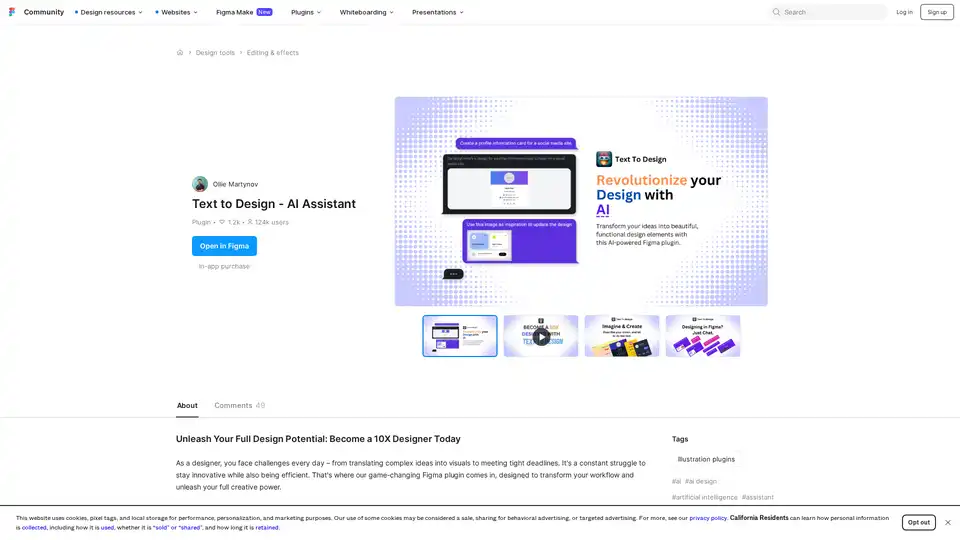
Overview of Text to Design - AI Assistant
What is Text to Design AI Assistant?
Text to Design AI Assistant is a groundbreaking Figma plugin that leverages artificial intelligence to revolutionize the design workflow. This innovative tool empowers designers to create professional designs simply by describing what they need in natural language or by uploading images for conversion into editable design elements.
How Does Text to Design Work?
The plugin operates through several powerful AI-powered features that transform how designers approach their work:
Core Functionality
- Text-to-Design Conversion: Users input text descriptions of their desired design, and the AI generates complete design elements including product cards, hero sections, landing pages, and dashboards
- Image-to-Design Transformation: Upload screenshots, sketches, or wireframes to instantly convert them into polished, ready-to-use designs
- Chat-with-Figma Collaboration: The AI assistant provides real-time suggestions for editing elements, creating variations, and improving accessibility compliance
- Text-to-Image with DALL-E V3: Generate custom icons and illustrations from textual descriptions
- Design-to-Code Conversion: Transform designs into clean code in various programming languages with simple requests
Technical Implementation
The plugin integrates seamlessly with Figma's interface, appearing as a sidebar tool that designers can access while working on their projects. It uses advanced machine learning models including OpenAI's GPT and DALL-E technologies to interpret design requests and generate appropriate visual outputs.
Key Features and Capabilities
🚀 Multi-Modal Design Generation
- Text Input Processing: Understands natural language design requests with precision
- Image Recognition: Analyzes uploaded images to extract design elements and patterns
- Real-time Collaboration: Works alongside designers to refine and improve existing designs
🎨 Professional Design Output
- Generates production-ready design components
- Maintains design consistency and follows industry best practices
- Provides accessibility recommendations for inclusive design
- Offers color scheme suggestions based on current design trends
⚡ Workflow Optimization
- Dramatically reduces design iteration time
- Eliminates repetitive design tasks
- Enables rapid prototyping and concept exploration
- Supports both novice and experienced designers
Who is Text to Design For?
Target Audience
- UI/UX Designers looking to accelerate their workflow and explore more design variations
- Product Designers needing to quickly prototype ideas and concepts
- Web Designers creating multiple design options for client presentations
- Design Teams collaborating on projects with tight deadlines
- Freelance Designers working on multiple projects simultaneously
- Design Students learning professional design techniques and workflows
Skill Level Compatibility
- Beginner Designers: The intuitive interface and natural language processing make it accessible to those with limited design experience
- Intermediate Designers: Provides time-saving automation for routine design tasks
- Expert Designers: Offers advanced capabilities for complex design challenges and rapid iteration
Practical Applications and Use Cases
Common Design Scenarios
- Landing Page Creation: Generate complete landing page designs from simple text descriptions
- Dashboard Design: Create complex data visualization interfaces with appropriate UI components
- Mobile App Interfaces: Design responsive app screens with consistent design patterns
- E-commerce Elements: Generate product cards, category pages, and checkout flows
- Social Media Graphics: Create engaging visual content for various platforms
- Presentation Materials: Design professional slides and visual aids quickly
Industry Applications
- Tech Startups: Rapid prototyping and MVP design
- Marketing Agencies: Quick campaign material generation
- E-commerce Businesses: Product page and promotional material design
- Educational Institutions: Teaching tool for design principles
- Corporate Design Teams: Maintaining brand consistency across multiple projects
Pricing and Token System
The plugin operates on a token-based system where users purchase tokens to access AI generation features. Different operations consume varying amounts of tokens based on complexity:
- Free tier available with limited token allocation
- Paid plans offering increased token amounts and additional features
- Transparent pricing with clear token consumption indicators
User Experience and Community Feedback
Positive Feedback Highlights
Users consistently praise the plugin for:
- Time Savings: "Helped me prototype my projects much faster!"
- Ease of Use: "Extremely simple and intuitive to use with very little Figma experience"
- Quality Output: "The design looks good in the chat and exports well to Figma"
- Innovation: "It's not only a time-saver, but also a game changer for my design process"
Continuous Improvement
The development team actively addresses user feedback, with regular updates including:
- Bug fixes and stability improvements
- New features like Auto Layouts (beta)
- Enhanced image attachment capabilities
- Improved error handling and user guidance
Why Choose Text to Design AI Assistant?
Competitive Advantages
- Seamless Figma Integration: Works directly within the Figma environment
- Comprehensive Feature Set: Multiple AI-powered design generation methods
- Professional Quality Output: Generates production-ready designs
- Active Development: Regular updates and feature enhancements
- Supportive Community: Responsive developer support and active user community
Value Proposition
Text to Design AI Assistant transforms designers into "10X designers" by:
- Reducing design time from hours to minutes
- Enabling exploration of more design variations
- Providing AI-powered design expertise
- Maintaining high quality and professional standards
- Supporting collaborative design workflows
Getting Started with Text to Design
Installation Process
- Install the plugin from the Figma Community resources
- Create an account using email verification
- Access free tokens or purchase additional tokens
- Start generating designs through text prompts or image uploads
Best Practices
- Start with clear, specific design descriptions
- Use the chat feature to refine and iterate on generated designs
- Combine AI-generated elements with manual design work for best results
- Regularly check token usage to manage resources effectively
Text to Design AI Assistant represents the future of design workflow optimization, combining artificial intelligence with human creativity to achieve unprecedented efficiency and quality in design production.
AI Generated Art Image Enhancement and Repair Image Style Transfer AI Background Removal and Replacement AI Avatar and Cartoonization 3D Modeling and Rendering Logo and UI Design
Best Alternative Tools to "Text to Design - AI Assistant"
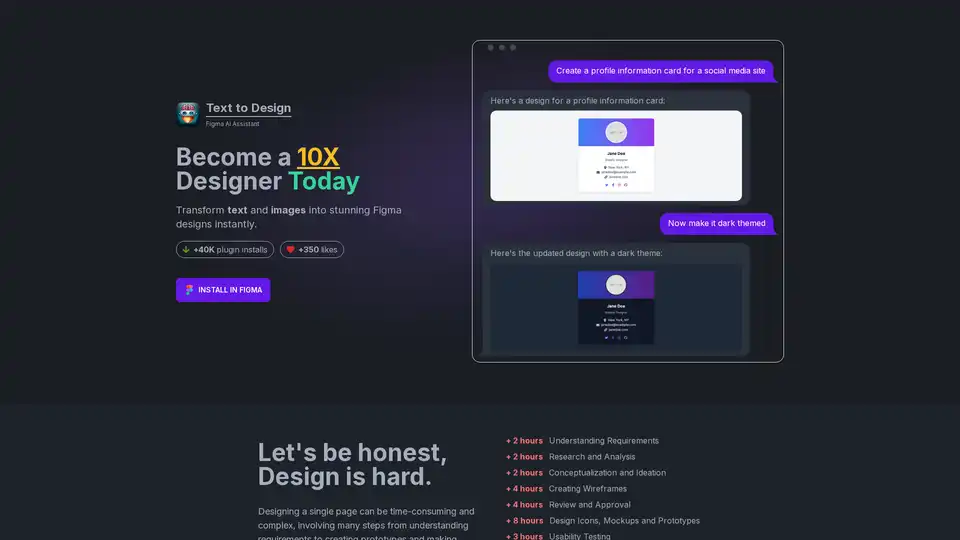
Text to Design is an AI-powered Figma plugin that instantly transforms text and images into stunning designs. Ideal for designers of all levels, it saves time and effort, boosting productivity and creativity.
Genie for Figma is an AI-powered plugin that streamlines your design workflow. Generate text and images, enhance your writing, store content, and break language barriers within Figma. Start your free trial today!

Typper is a Figma AI plugin that accelerates your design workflow by generating images, texts, and codes with AI. Try it free for 15 days!
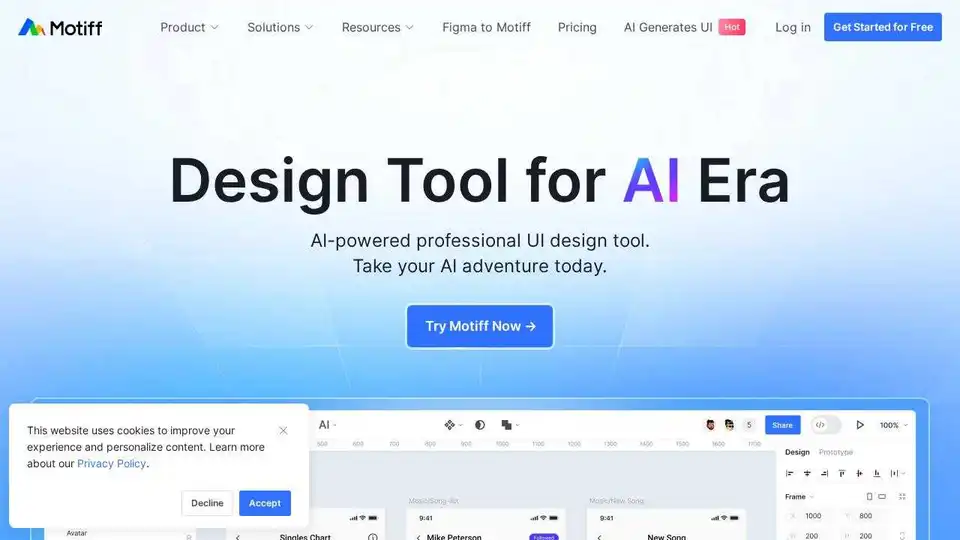
Motiff is an AI-powered interface design tool integrating AI into UI/UX workflows. It generates UIs from text/images, iterates designs, offers styling presets, and converts websites to editable designs. Currently under development as a Figma plugin.