
Mailr
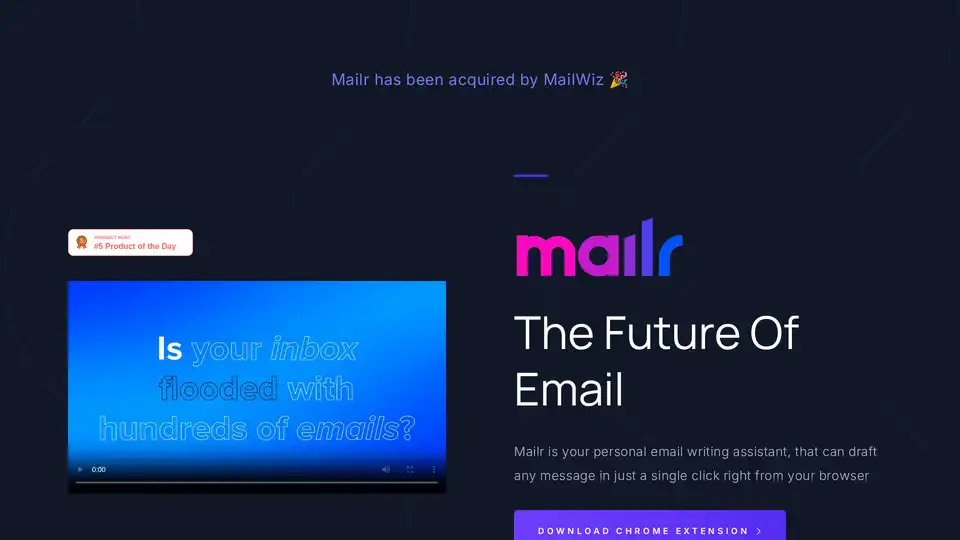
Overview of Mailr
What is Mailr? The Ultimate AI Email Assistant
Mailr is an innovative AI email assistant designed to revolutionize how professionals manage their email communication. Available as a seamless Chrome browser extension, Mailr empowers users to draft new emails and compose replies with unprecedented speed and efficiency. By leveraging the power of artificial intelligence, Mailr aims to free individuals from the tedious, time-consuming task of email writing, allowing them to focus on more strategic and impactful work. It's more than just an email tool; it's a personal productivity accelerator that integrates directly into your daily workflow.
What are the Key Features of Mailr?
Mailr stands out with a suite of features crafted to enhance every aspect of email management, from initial drafting to final polish:
- Instant Email Drafting and Replies: At its core, Mailr excels at generating entire email drafts and comprehensive replies in a single click. Users simply provide a brief instruction, and the AI takes care of the rest, making the process "10x faster" than traditional manual writing.
- 10+ Custom Tones: Communication isn't one-size-fits-all. Mailr understands this by offering a diverse selection of over ten custom tones. Whether you need an email to sound friendly, informal, persuasive, professional, urgent, empathetic, or any other specific nuance, Mailr can adapt its output to perfectly match your desired style and context. This feature ensures that your messages always convey the right sentiment, regardless of the recipient or situation.
- Seamless Chrome Browser Extension: Integration is key to productivity. Mailr operates directly within your browser as a Chrome extension, meaning you don't need to switch applications or copy-paste content. It’s available precisely when and where you need it, streamlining your email workflow without interruption.
- User-Friendly 3-Step Workflow: Mailr prides itself on simplicity. Its intuitive design ensures that anyone can harness its power with minimal effort. The process involves just three straightforward steps: provide the goal, choose the tone, and generate.
- Time-Saving Automation: By automating the drafting and replying process, Mailr significantly cuts down the time spent on emails. This is crucial for professionals who often spend a substantial portion of their day on email correspondence.
How Does Mailr Work? Unveiling the AI Magic
Mailr's operation is built on a simple yet powerful AI-driven mechanism, making advanced email generation accessible to everyone. Here's a breakdown of its easy-to-follow process:
- Define Your Goal: The journey begins with you. Instead of writing out a full email, you simply articulate the purpose of your message in a few concise words. For example, you might instruct: "Request meeting next week," "Follow up on proposal," or "Apologize for delay." This brief input acts as the prompt for Mailr's underlying AI model.
- Select Your Tone: Context matters. After providing your goal, Mailr prompts you to select a suitable tone from its extensive list of options. This allows the AI to tailor the language, vocabulary, and overall sentiment of the email. Choosing a "persuasive" tone for a sales pitch or a "formal" tone for a client update ensures your message hits the right note.
- Witness Instant Generation: Once the goal and tone are set, Mailr's AI immediately processes the information. In mere seconds, it generates a complete, grammatically correct, and contextually appropriate email draft that aligns perfectly with your specifications. This draft appears directly within your email composition window, ready for review or immediate sending.
Behind this simple interface, Mailr likely utilizes advanced large language models (LLMs) that have been trained on vast datasets of professional communication. This enables the AI to understand natural language instructions, grasp contextual nuances, and produce coherent, human-like text outputs, effectively transforming your short prompts into polished emails.
Why Choose Mailr for Your Email Management?
In today's fast-paced digital world, efficient communication is paramount. Mailr offers compelling advantages that make it an indispensable tool for anyone looking to optimize their email habits:
- Significantly Boost Productivity: The most immediate benefit is the massive time savings. As the original content highlights, the average professional spends over 2.5 hours each day tediously answering emails. Mailr dramatically reduces this burden, freeing up valuable time that can be redirected to core tasks, strategic planning, or personal development.
- Ensure Consistent and Professional Communication: With Mailr's customizable tones and AI-driven precision, you can maintain a consistent and professional communication standard across all your emails. This helps in building stronger relationships and a more reliable brand image.
- Overcome Writer's Block: Staring at a blank screen can be frustrating. Mailr eliminates writer's block by providing instant drafts, giving you a strong starting point or even a complete message, even when your own words fail you.
- Scalable Solution for High Volume: Whether you send a few emails a day or manage hundreds, Mailr scales with your needs. Its ability to generate responses quickly makes it ideal for customer service teams, sales professionals, and anyone dealing with a high volume of correspondence.
- Cost-Effective Productivity: Mailr offers a free tier, making its core functionalities accessible to everyone. The premium tier provides extensive word limits at an affordable monthly price, offering a highly cost-effective way to enhance productivity without a hefty investment.
- Always Available, Right in Your Browser: The convenience of a Chrome extension means Mailr is always just a click away, integrated into your existing email platform (like Gmail, Outlook web, etc.). There's no need to learn new software or switch contexts.
Who is Mailr for? Target Audience and Use Cases
Mailr is a versatile tool designed to benefit a wide array of individuals and organizations across various industries. Its core utility lies in streamlining email communication, making it invaluable for anyone who sends or receives a significant number of emails daily.
- Sales & Marketing Professionals: Quickly draft compelling sales pitches, follow-up emails, marketing campaign communications, and personalized outreach messages. Mailr can help craft persuasive language that converts.
- Customer Support Teams: Respond to customer inquiries faster and more consistently. Maintain a helpful and professional tone, even when handling complex or repetitive questions, leading to improved customer satisfaction.
- Entrepreneurs & Small Business Owners: Manage all aspects of business communication efficiently, from client outreach to vendor communication and internal team updates, without dedicating excessive time to email administration.
- Busy Executives & Professionals: Reclaim precious time by delegating the initial drafting of routine or even complex emails to Mailr, allowing them to focus on high-level decision-making and strategic initiatives.
- Freelancers & Consultants: Quickly compose proposals, project updates, and invoices, ensuring clear and professional communication with diverse clients and collaborators.
- Students & Academics: Draft formal requests to professors, collaborate on group projects, or organize academic communications with ease and precision.
- Anyone Seeking Enhanced Productivity: Essentially, anyone looking to reduce the mental load and time commitment associated with email writing can find immense value in Mailr.
Pricing and Plans: Flexible Options for Every User
Mailr understands that different users have different needs, which is why it offers flexible pricing tiers to accommodate both casual users and high-volume professionals.
Free Forever Tier ($0):
- 2,000 Word Limit: Generous allowance for daily email needs.
- Compose New Emails: Full functionality for drafting new messages.
- 10+ Custom Tones: Access to all available tones to tailor your communication.
- Ideal for individuals with moderate email volumes or those who want to experience Mailr's benefits without any financial commitment.
Premium Tier ($4.99/month):
- 100,000+ Words Per Month: Significantly expanded capacity for heavy email users.
- Faster Email Generation: Priority processing for even quicker draft creation.
- Early Access to Beta Features: Get a sneak peek and influence the development of upcoming Mailr functionalities.
- Ideal for professionals, teams, and businesses with high email demands who require maximum efficiency and advanced capabilities.
This transparent pricing structure ensures that Mailr remains accessible while providing robust options for power users.
Getting Started with Mailr: Download the Chrome Extension Today
Embracing the future of email with Mailr is incredibly simple. To begin your journey towards faster, smarter email communication, all you need to do is download the Chrome extension. Once installed, the intuitive interface will guide you through its powerful features, allowing you to instantly draft and reply to emails directly within your browser.
Mailr is more than just a tool; it's a strategic partner in your professional life, helping you to reclaim control over your time and enhance the quality of your digital communication. By providing a smart, efficient, and adaptable solution to email management, Mailr empowers you to focus on what truly matters, transforming a daily chore into a seamless experience.
AI Article Generation AI Text Polishing AI Writing Assistance Paper and Report Generation News and Blog Generation Email and Business Writing
Best Alternative Tools to "Mailr"

WriteMail.ai is an AI-powered email writer that generates professional, engaging emails in seconds. Perfect for business or personal use, it also offers a Gmail extension.

Overcome writer's block with Smart Copy, Unbounce's AI copy assistant. Generate on-brand copy, blog posts, emails, and more in minutes across your tools. Free trial available—no credit card needed.

Copilotly: An AI copilot that helps you generate ideas for blog posts, social media updates, and professional emails, improving productivity and engagement. Access AI doctors, lawyers & more!

Remail is an AI-powered Chrome extension that helps you write emails 10x faster, summarize web pages, and create content. Boost your productivity with this all-in-one AI assistant.