
Macabacus
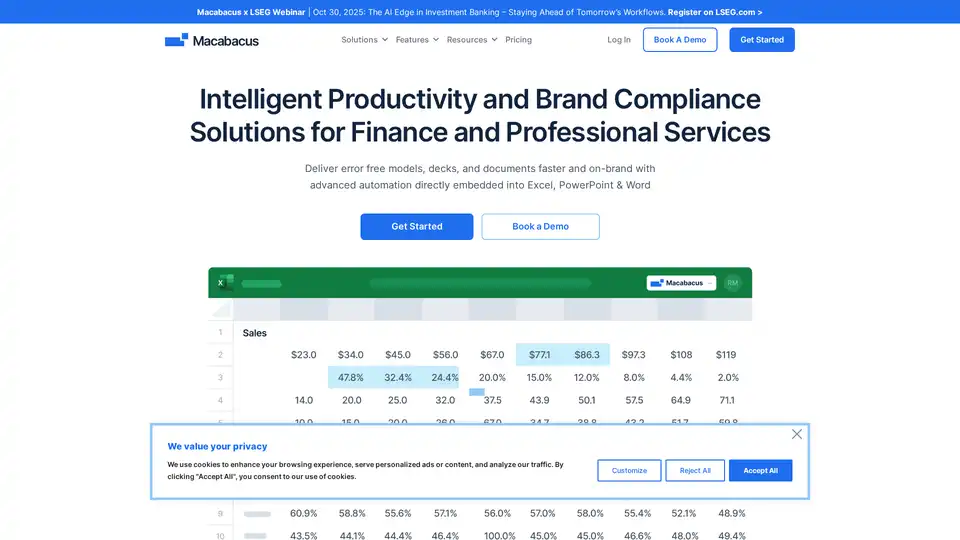
Overview of Macabacus
Macabacus: The Leading Productivity Add-in for Finance and Banking
What is Macabacus?
Macabacus is a comprehensive Microsoft Office add-in designed to boost productivity and ensure brand compliance for finance professionals and teams. It seamlessly integrates into Excel, PowerPoint, and Word, offering advanced automation and tools to streamline financial modeling, presentation creation, and document management.
Who is Macabacus for?
Macabacus is tailored for:
- Investment Banks
- Private Equity Firms
- Venture Capital Firms
- FP&A Teams
- Consulting Firms
- Finance Professionals
How does Macabacus work?
Macabacus enhances existing Microsoft Office applications with a suite of powerful features. It provides tools to automate formatting, ensure accuracy, manage digital assets, and enforce brand standards across all documents and presentations. With centralized libraries, custom shortcuts, and AI-powered writing assistance, Macabacus streamlines workflows and reduces errors.
Key Features and Benefits
- Faster Workflows, Flawless Execution: Optimize efficiency in financial modeling and presentation proofing.
- Error Detection: Pinpoint formula risks, hidden errors, and inconsistencies in your models with 50+ checks.
- Brand Compliance: Ensure consistent brand standards with centralized templates, logos, and style guides.
- Excel to PowerPoint Linking: Seamlessly sync Excel data to PowerPoint and Word, eliminating broken links and manual updates.
- AI Writing Assistant: Write smarter and faster, enforcing your company’s voice and language standards.
- Shared Libraries: Simplify collaboration with centrally managed libraries for approved slides, charts, and branded materials.
- Logo Library: Access over 22 million logos in PowerPoint to speed up workflows.
- Custom Shortcuts: Automate formatting tasks with 100s of custom shortcuts.
How to Use Macabacus?
- Installation: Install the Macabacus add-in to your Microsoft Office suite.
- Integration: Access Macabacus features directly from the Excel, PowerPoint, or Word ribbon.
- Automation: Utilize custom shortcuts and automated checks to streamline tasks.
- Collaboration: Leverage shared libraries for team-wide access to branded templates and assets.
What problems does Macabacus solve?
- Time-Consuming Formatting: Macabacus automates formatting tasks, saving significant time.
- Model Errors: Model Check feature helps identify and eliminate errors in financial models.
- Brand Inconsistency: Centralized libraries and style guides ensure consistent branding across all documents.
- Broken Links: Seamlessly links Excel data to PowerPoint and Word, preventing broken links.
User Testimonials
- Clay W. (Investment Banking Analyst): "Macabacus is a great tool that improves my efficiency on a day-to-day basis."
- Trevor S. (Director of Finance, Education Management): "It has increased the speed at which I am able to produce quality financial models dramatically."
- Luca S. (Operations Associate, Investment Management): "Very easy to use, extremely powerful to save time while using Excel for modeling purposes."
- Dave H. (Director, Accounting & Business Valuations, Brookfield Renewable): "I have probably cut down on my model formatting time by 50%, and my models look better."
Pricing
Macabacus offers solutions for both teams and individual professionals. For detailed pricing information, visit the Macabacus website.
Why Choose Macabacus?
Macabacus stands out as the #1 productivity add-in for finance and banking due to its comprehensive feature set, seamless integration with Microsoft Office, and enterprise-grade security. It empowers finance professionals to work faster, reduce errors, and deliver flawless models and presentations that meet the highest standards.
AI Article Generation AI Text Polishing AI Writing Assistance Paper and Report Generation News and Blog Generation Email and Business Writing
Best Alternative Tools to "Macabacus"
Vega is a finance focused AI Agent with first-class integrations with Excel, Snowflake, and Python.

AI Excel Bot generates Excel formulas in seconds using AI. Use simple English prompts with GPT-3 AI model to generate formulas.

Best AI Excel Assistant with AI formulas to translate, extract, format & more. TwistlyCells integrates ChatGPT and Claude directly into Excel for seamless data handling and automation.

Onnix AI serves as a personalized co-pilot for bankers, accelerating slide deck creation, Excel-based data analysis, and instant queries from financial data providers like FactSet and CapIQ to deliver quick, accurate insights.