![[Official] HitPaw VikPea: AI Video Enhancer - Enhance to 8K](/assets/logo/hitpaw-com-3531b.png)
HitPaw VikPea
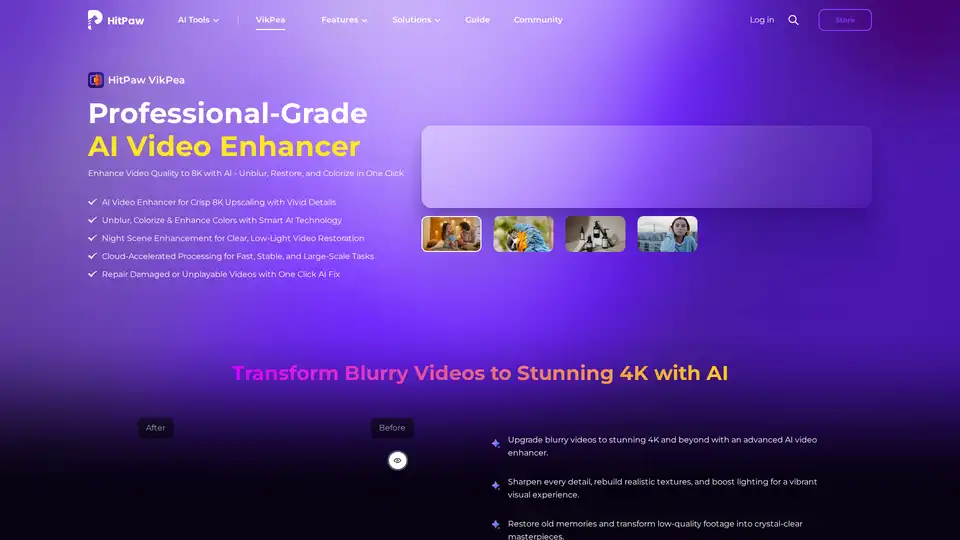
Overview of HitPaw VikPea
HitPaw VikPea: AI Video Enhancer - Upgrade Your Videos to 8K
What is HitPaw VikPea? HitPaw VikPea is a professional-grade AI video enhancer designed to improve video quality by upscaling resolution, reducing noise, sharpening details, and enhancing colors. It offers a one-click solution to transform blurry and low-quality videos into crisp, high-resolution masterpieces.
Key Features:
- AI-Powered Enhancement: Utilizes advanced AI algorithms to unblur, colorize, and restore videos, ensuring vivid details and realistic textures.
- 8K Upscaling: Capable of enhancing video quality up to 8K resolution, revitalizing old memories and low-quality footage.
- Cloud-Accelerated Processing: Employs cloud rendering and acceleration technology for rapid video processing, supporting large files and batch tasks.
- Video Stabilization: Minimizes screen jitter and frame rate instability with frame interpolation and stabilization models.
- Color & Clarity Restoration: Optimizes video details, enhances colors, converts SDR to HDR, and improves low-light footage quality.
- Universal Format Support: Supports various video formats including MP4, MOV, MKV, AVI, FLV, and WMV.
- Scene-Specific AI Models: Automatically detects scenes and adjusts settings to optimize color, remove noise, and sharpen details.
- AI Background Control: Allows users to swap, blur, or customize video backgrounds with AI edge detection.
How Does HitPaw VikPea Work?
HitPaw VikPea leverages AI to automatically enhance videos through several key processes:
- Resolution Upscaling: Uses algorithms to increase video resolution while adding details and removing noise.
- Noise Reduction: Reduces compression artifacts and smooths images, turning old or low-quality clips into clear videos.
- Color Enhancement: Restores faded colors and enhances shadow details, delivering vibrant and lifelike videos.
- Stabilization: Minimizes jitter and instability using frame interpolation models.
How to Use HitPaw VikPea:
- Launch and Upload: Open the HitPaw VikPea software and upload the video(s) you want to enhance.
- Select AI Model: Choose an AI model based on the video type to achieve the best enhancement effect.
- Preview and Export: Preview the enhanced video and export the upscaled version.
Why Choose HitPaw VikPea?
- Professional-Grade Results: Delivers high-quality video enhancements suitable for professional and personal use.
- Ease of Use: Simple and intuitive interface, making it accessible for beginners and experts alike.
- Time Efficiency: Cloud-accelerated processing significantly reduces processing time.
- Versatility: Supports a wide range of video formats and offers various AI models for different enhancement needs.
Who is HitPaw VikPea For?
- Family Users: To restore and enhance old family videos.
- E-commerce Sellers: To improve product videos for better ad conversions.
- Film Producers: To streamline 3D rendering and video processing workflows.
- Outdoor Photographers: To stabilize shaky footage from rocky trails.
- Travel Vloggers: To quickly produce stunning content from travel footage.
- Film Restorers: To revive classic films and historical footage.
- Beginners: To easily enhance videos without professional editing skills.
User Testimonials:
- Portrait Photographer - @LenaWilde_Visuals: "Your videos quality enhancer saved my sunset shoot! Shadows ruined the client's face, but after a quick AI pass, perfect lighting and detail. Looked like a DSLR setup!"
- E-commerce Seller - @UrbanThreadsCo: "We filmed our products with a phone, flat colors, no texture. Your AI video enhancer brought back shine and stitch clarity. Our ad conversions jumped 40%!"
- Family User - @DadWhoEdits: "My kids said grandma's wedding video looked like a slideshow. After upscaling and adding transitions to 80 clips, they cried happy tears. Best $20 I've ever spent!"
- Film Producer - @VFX_Matt: "Rendering 3D explosions used to crash my workstation. Now, with this cloud setup, it's done over a coffee break. Clients think I run a NASA server, just smart tech!"
Customer Cases:
- A portrait photographer used HitPaw VikPea to correct shadows and lighting in a sunset shoot, achieving DSLR-quality results.
- An e-commerce seller improved product videos, resulting in a 40% increase in ad conversions.
- A family user upscaled an old wedding video, bringing joy to their family.
- A film producer streamlined 3D rendering workflows with cloud-powered video enhancement.
FAQ:
- Q: Can AI enhance video?
- Yes, AI can enhance video by improving resolution, reducing noise, sharpening details, adjusting colors, and stabilizing shaky footage.
- Q: Is HitPaw VikPea Video Enhancer AI free?
- HitPaw VikPea is not free, but it offers a trial version. Check official website for pricing details.
HitPaw VikPea is the ultimate solution for anyone looking to enhance their video quality quickly and effectively. Whether you're a professional or a beginner, this AI-powered tool can transform your videos into stunning, high-resolution masterpieces.
AI Generated Art Image Enhancement and Repair Image Style Transfer AI Background Removal and Replacement AI Avatar and Cartoonization 3D Modeling and Rendering Logo and UI Design
Best Alternative Tools to "HitPaw VikPea"

UniFab AI is an AI-powered solution enhancing video & audio quality. Features include video/audio enhancers, converter, editor. Upscale to 16K, denoise, colorize & more.

VidHex mixes various AI video tools together, such as Video Enhancer, efficiently and effortlessly improving content and optimizing visual experience. Transform blurry videos into high-quality visuals with one click.

Discover bigmp4, a cutting-edge AI tool for lossless video enlargement to 2K/4K/8K, black-and-white colorization, AI interpolation for smooth 60-240fps, and silky slow motion. Supports MP4, MOV, and more for vivid enhancements.
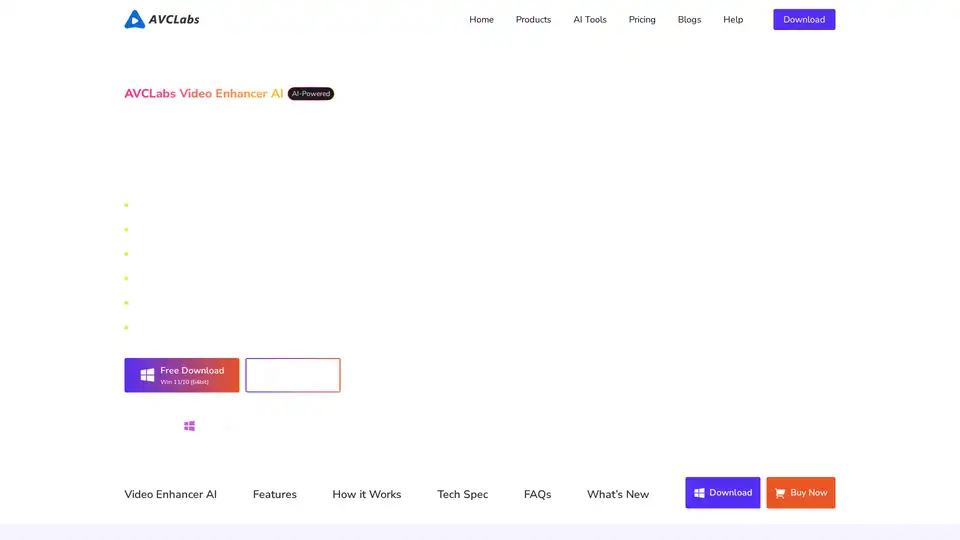
AVCLabs Video Enhancer AI uses advanced AI technology to enhance video quality, upscale resolution from SD to 8K, restore old footage, colorize black-and-white videos, and stabilize shaky footage with professional-grade results.