
GPT for Sheets™ Docs™ Forms™ Slides™

Overview of GPT for Sheets™ Docs™ Forms™ Slides™
What is GPT for Sheets™ Docs™ Forms™ Slides™?
GPT for Sheets™ Docs™ Forms™ Slides™ is a versatile AI add-on for Google Workspace that integrates advanced language models like ChatGPT, Claude, Gemini, Grok, and more directly into your daily tools. Developed by docgpt.ai, this extension transforms Google Sheets, Docs, Forms, and Slides into powerful AI-assisted platforms for content creation, data processing, and workflow automation. Whether you're crafting SEO-optimized articles or analyzing images with GPT Vision, it eliminates the need for constant copy-pasting between apps, enabling seamless productivity boosts right within your Google ecosystem.
This tool stands out by supporting a wide array of AI models, including GPT-5, GPT-4o, Perplexity, Mistral, DeepSeek, and Ollama variants. It's designed for users who need real-time AI capabilities without leaving their workspace, making it ideal for professionals handling large-scale tasks like bulk image generation or web scraping.
How Does GPT for Sheets™ Docs™ Forms™ Slides™ Work?
At its core, the add-on leverages API integrations to connect Google's collaborative tools with leading AI services. Once installed from the Google Workspace Marketplace, you access it via Extensions > GPT for Sheets, Docs, Forms > Launch. It uses custom functions like =GPT(prompt) or =GROK(A1:B5) to process data directly in cells or documents.
For instance, in Google Sheets, you can run up to 360 prompts per minute or process 300k rows in bulk, pulling in web search results via SERP functions or enriching data with APIs from Apollo or Hunter.io. In Docs and Slides, it generates full articles, outlines, or even scripts for YouTube videos. The web access features, such as GPT_WEB_ACCESS or GPT_WEB_SEARCH, allow models to fetch live data from the internet, ensuring responses are current and contextually rich.
Key technical aspects include:
- Model Customization: Use GPT_CUSTOM() to tweak parameters like temperature, max_tokens, or model selection (e.g., gemini-1.5-pro for advanced reasoning).
- Vision Capabilities: With GPT-4-Vision or Gemini Pro Vision, upload images to extract text, insights, or generate descriptions.
- API Connectivity: Integrate with external services via API(), supporting REST/HTTP calls for databases, Airtable, or e-commerce platforms like Shopify.
No OpenAI API key is required for basic ChatGPT functions, though advanced models may need your own keys for optimal performance. Troubleshooting is straightforward: use a personal Google account, avoid multiple logins, or consult your admin for workspace permissions.
Core Features and Use Cases
This AI extension excels in automating repetitive tasks while sparking creativity. Here's a breakdown of its standout capabilities:
Content Generation and Writing Assistance
- Full Article Creation: Generate SEO-optimized blog posts (1k+ words) with SEO_BLOG(), complete with titles, meta descriptions, and keyword strategies. Perfect for marketers aiming to outrank competitors via SEO_OUTRANK() analysis.
- Idea Sparking and Outlining: Brainstorm blog ideas, course structures, or essay frameworks. It supports multi-language translation into 26+ languages, ideal for global teams.
- Email and Social Media: Bulk mail merge with SEND_EMAIL() using Gmail or Mailchimp, or post to LinkedIn/Twitter (X) directly. Craft ad copy for Google or Facebook campaigns.
Use case example: A content marketer inputs a keyword list into Sheets, and the tool generates an entire SEO strategy, including keyword volume, competition data, and optimized paragraphs – saving hours of manual research.
Data Processing and Enrichment
- Cleaning and Analysis: Clean lists of names, emails, or dates; perform sentiment analysis on reviews; summarize lengthy texts for quick insights.
- Web Scraping and SERP Integration: Functions like WEB_URL(), SERP(), or WEB_PARAGRAPHS() scrape titles, headings, and meta data from sites. Integrate Google Search or Brave for real-time results.
- Lead Generation: Pull emails via Apollo or Prospeo integrations, or fetch LinkedIn profiles. It even covers YouTube and Google Maps APIs for video/channel searches or place data.
For e-commerce pros, manage product catalogs by enriching data, generating descriptions, and optimizing for Amazon or Shopify – all in bulk.
Image and Media Generation
- AI Image Creation: Use DALL·E 2/3 or over 200 Replicate models via GPT_IMAGE() for bulk visuals. Upload to Cloudinary for hosting.
- Video Script Writing: Generate engaging scripts for YouTube or TikTok, tailored to your audience.
SEO and Marketing Optimization
- Keyword Tools: Get top competitor keywords, search volumes, and programmatic SEO strategies. Generate meta tags, landing page copy, or full SEO articles.
- Indexing Support: =GOOGLE_INDEXING(url) notifies Google of updates, accelerating visibility.
These features make it a go-to for programmatic SEO, where you automate content pipelines from research to publication.
Who is GPT for Sheets™ Docs™ Forms™ Slides™ For?
This tool targets a diverse audience:
- Busy Professionals: Marketers, writers, and sales teams needing fast content and lead gen.
- E-commerce Owners: For catalog management, product descriptions, and ad optimization on platforms like Shopify.
- Students and Educators: Generating essays, courses, quizzes in Forms, or summaries for research.
- Developers and Analysts: Automating workflows with API integrations, data extraction, or code-like functions for non-coders.
- Digital Creators: Scriptwriters for videos or social media managers posting in bulk.
It's especially valuable for those in SEO-heavy roles, as it rivals tools like Ahrefs or Jasper but integrates natively with Google Workspace, reducing tool-switching friction.
Why Choose GPT for Sheets™ Docs™ Forms™ Slides™?
Compared to alternatives like SheetGPT, Zapier, or Writesonic, this add-on offers unmatched speed and depth within Google apps. It's free with paid features, supports 1M+ installs, and receives frequent updates – like adding Claude-4-Sonnet or Groq integration in recent months. Users praise its reliability for large datasets and ease of setup, with video tutorials for quick onboarding.
Practical value shines in real scenarios: A small business owner uses it to scrape competitor SERPs, generate ad copy, and send personalized emails – all from one Sheet. For SEO experts, the strategy generation and indexing tools provide actionable insights backed by AI reasoning.
Potential drawbacks? Advanced features may require API keys for certain models, and workspace admins must approve installs. But for most, the ROI is immediate through time savings and enhanced output quality.
How to Get Started with GPT for Sheets™ Docs™ Forms™ Slides™
- Install from Google Workspace Marketplace.
- Launch via Extensions in Sheets/Docs.
- Input prompts or functions (e.g., =SEO_STRATEGY(keywords)).
- Customize models and export results to Drive.
For support, visit docgpt.ai or check troubleshooting videos. With ongoing updates like new Mistral models or YouTube API enhancements, it evolves to meet emerging AI needs.
In summary, GPT for Sheets™ Docs™ Forms™ Slides™ empowers users to harness cutting-edge AI for writing, analysis, and automation, directly in Google Workspace. It's not just a tool – it's a workflow revolution for anyone serious about productivity and SEO success.
AI Article Generation AI Text Polishing AI Writing Assistance Paper and Report Generation News and Blog Generation Email and Business Writing
Best Alternative Tools to "GPT for Sheets™ Docs™ Forms™ Slides™"
Automate your marketing with Promarkia, an AI platform using AI Agents that streamlines content creation, SEO, social media, and more. Start free today!
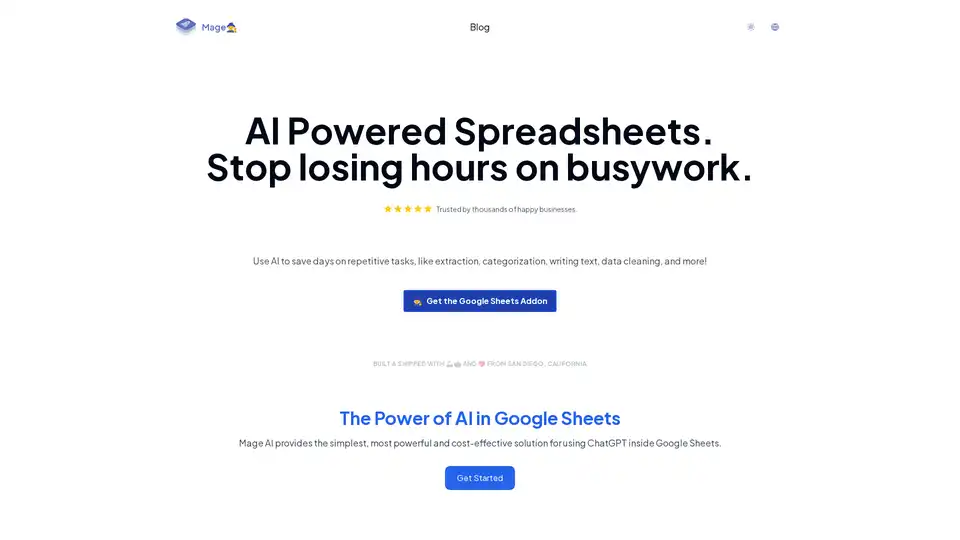
Mage AI integrates ChatGPT into Google Sheets for effortless automation of tasks like data extraction, categorization, text generation, and cleaning. Trusted by businesses, it saves hours on repetitive work and boosts productivity in marketing and content creation.
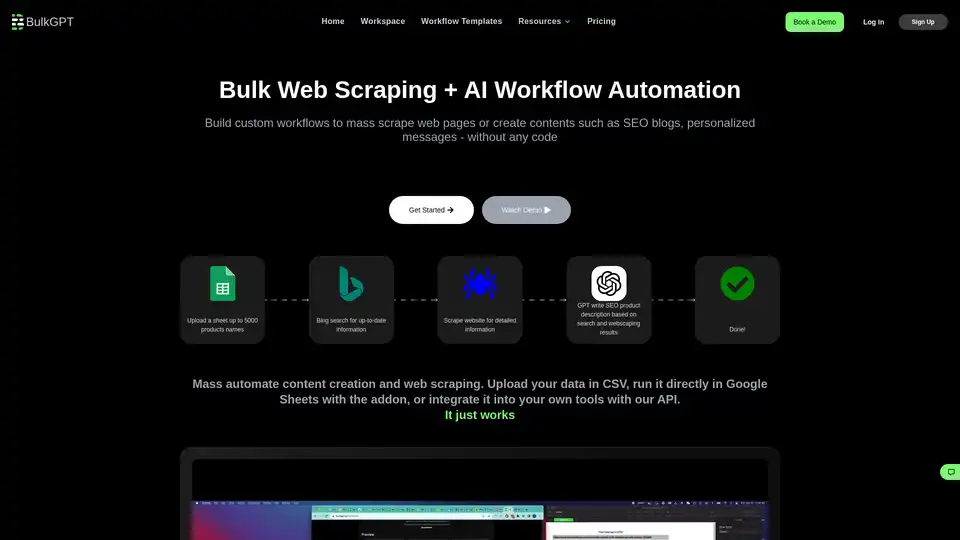
BulkGPT is a no-code tool for bulk AI workflow automation, enabling fast web scraping and ChatGPT batch processing to create SEO content, product descriptions, and marketing materials effortlessly.
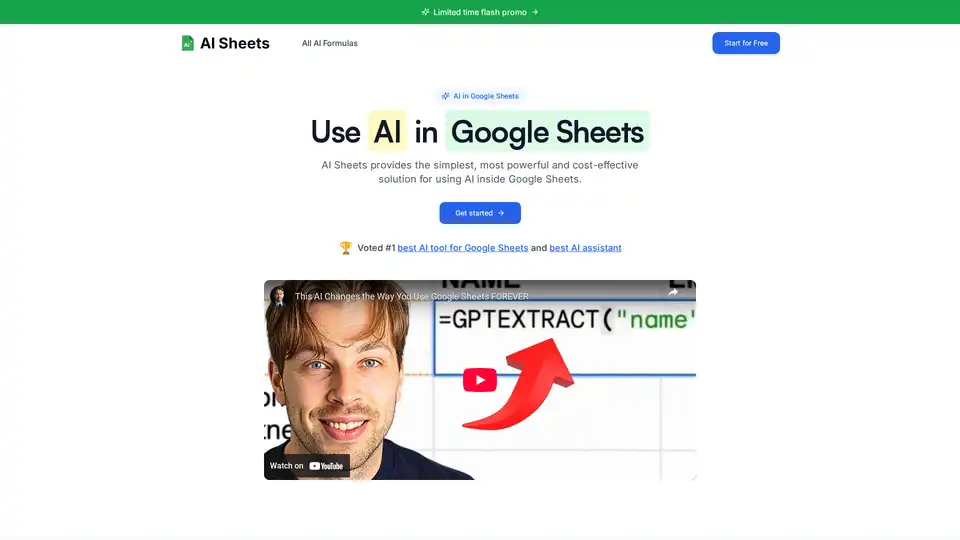
Discover AI Sheets, the top-rated AI tool for Google Sheets. Effortlessly generate content, analyze data, search the web, and automate tasks without API keys. Voted #1 with 4.9/5 stars—start your free trial today!