
TensorPix
Overview of TensorPix
TensorPix: AI-Powered Video and Image Enhancement
What is TensorPix?
TensorPix is an online platform that leverages artificial intelligence to enhance and upscale video and image quality. It offers a suite of tools designed to improve the visual clarity, resolution, and overall appearance of digital content. Whether you need to upscale old footage, enhance webcam recordings, or generate high-resolution AI videos, TensorPix provides a user-friendly solution.
Key Features of TensorPix
- AI Video Enhancer: Upscale videos up to 4K and improve overall video quality with ease.
- AI Image Enhancer & Upscaler: Increase image size and enhance photo quality directly in your web browser.
- Online Video Compressor: Reduce video file size without sacrificing visual quality, making it easier to share and upload videos.
- 4K AI Video Generator: Transform text and image prompts into 4K videos without requiring technical expertise.
- Upscale and Enhance API: Integrate video and image enhancement capabilities into your own applications via API.
- AI Image Generator: Create photos, artwork, and illustrations from text descriptions in 4K resolution.
How Does TensorPix Work?
TensorPix uses advanced AI algorithms to analyze and enhance video and image content. The process typically involves the following steps:
- Upload: Users upload their video or image files to the TensorPix platform.
- AI Analysis: The AI algorithms analyze the content, identifying areas for improvement.
- Enhancement: The AI enhances the content by upscaling resolution, reducing noise, improving colors, and sharpening details.
- Download: Users can download the enhanced video or image file.
The platform also uses advanced AI to produce ultra high-definition videos that look amazing on any screen. Generate 4K AI video content that stands out with exceptional clarity and visual impact.
Why Choose TensorPix?
- Ease of Use: The platform is designed to be user-friendly, with a simple interface that requires no technical expertise.
- High-Quality Results: TensorPix uses advanced AI algorithms to deliver high-quality results.
- Online Accessibility: The platform is accessible from any web browser, without the need for software installation.
- Time-Saving: TensorPix can enhance videos and images in a matter of minutes, saving users valuable time.
Who is TensorPix For?
TensorPix is suitable for a wide range of users, including:
- Content Creators: Enhance the quality of videos and images for social media, YouTube, and other platforms.
- Businesses: Improve the visual appearance of marketing materials, product photos, and videos.
- Individuals: Restore old photos and videos, enhance webcam recordings, and create high-quality AI videos.
- FX Artists: Cost-effective and accessible solution for increasing resolution and upscaling.
TensorPix Use Cases:
- Enhance Video Chat Recordings: Improve the quality of webcam recordings for clearer and more professional-looking video calls.
- Meet Latest Quality Standards: Convert SD footage to HD or 4K to ensure compatibility with modern displays.
- Upscale & Enhance Old Videos and Images: Restore details and remove artifacts from old photos and videos.
- Interpolate low FPS videos with AI: Transform low FPS videos into 60 FPS, silky smooth footage
- Unblur Videos Online: Turn blurry footage into stunning clarity with our AI technology
- Stabilize Shaky Videos: Eliminate camera wobble and achieve consistently clear results.
- Denoise Videos: Remove various forms of noise from videos. Perfect for noisy night shots or low-light videos.
- Upscale and Enhance AI Generated videos: Enhance AI Video quality in less than 3 minutes. Upscale up to 4K and make your videos stand out among others.
What are the benefits of using TensorPix?
- Improved Visual Quality: Enhance the clarity, resolution, and overall appearance of videos and images.
- Increased Engagement: High-quality visuals can attract more viewers and increase engagement on social media and other platforms.
- Professional Look: Enhanced videos and images can help businesses create a more professional image.
- Time Savings: TensorPix can automate the enhancement process, saving users valuable time.
TensorPix Pricing
TensorPix offers a variety of pricing plans to suit different needs and budgets. Users can choose from free plans, subscription-based plans, and pay-as-you-go options.
TensorPix: The Future of Video and Image Enhancement
TensorPix is a powerful tool that can help users enhance the quality of their videos and images with ease. With its advanced AI algorithms, user-friendly interface, and affordable pricing, TensorPix is poised to become the leading online platform for video and image enhancement.
Whether you're a content creator, business owner, or individual user, TensorPix can help you create visually stunning content that will impress your audience.
AI Generated Art Image Enhancement and Repair Image Style Transfer AI Background Removal and Replacement AI Avatar and Cartoonization 3D Modeling and Rendering Logo and UI Design
Best Alternative Tools to "TensorPix"

Nero AI is a top online tool brand offering AI image upscaling, photo colorization, restoration, and AI-generated avatars. Free to use on web and mobile. Enhance your images with AI.

Vidux AI is an all-in-one AI video creation platform offering tools for generating videos from text or images, enhancing video quality with upscaling and noise reduction, compressing, and converting formats. It caters to creators and businesses looking for professional-grade video production with advanced AI technology.
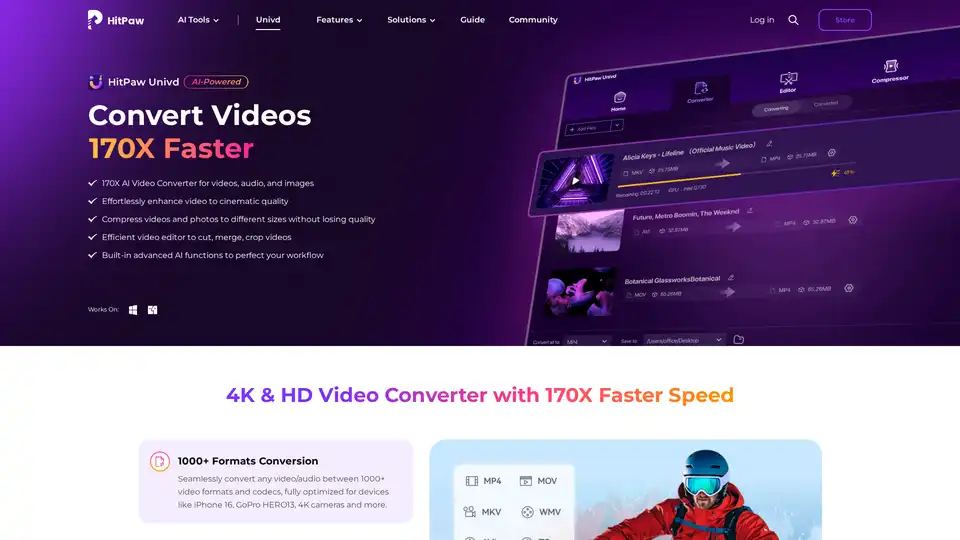
HitPaw Univd is an AI-powered all-in-one tool for converting, compressing, and enhancing videos, audio, and images up to 170x faster. Supports 1000+ formats with advanced AI features for seamless editing and quality preservation.

Booltool is an AI-driven platform providing tools for image editing, copywriting, and video enhancement. Features include background removal, object eraser, AI paraphraser, and video upscaling.