
Noteey
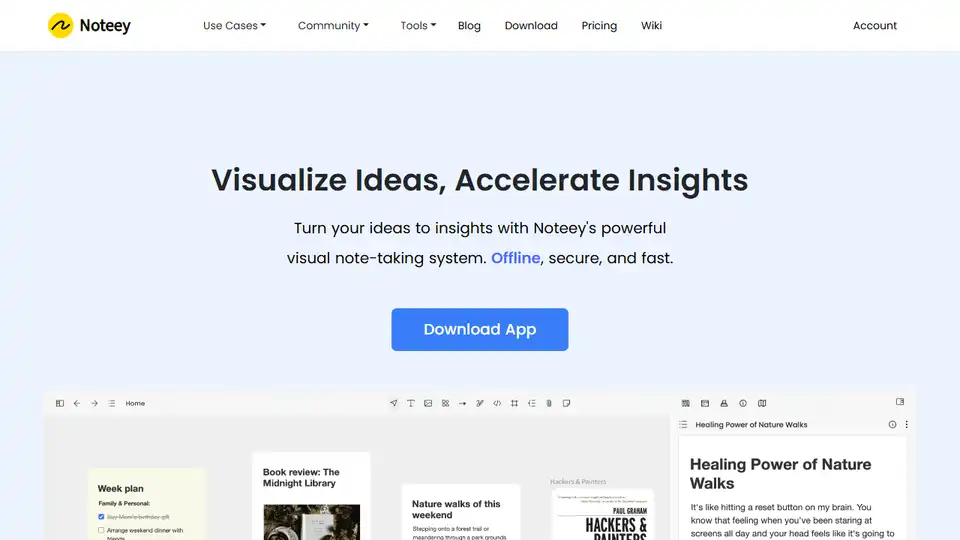
Overview of Noteey
What is Noteey?
Noteey is a revolutionary visual note-taking tool designed to enhance deep thinking and knowledge management. It provides an infinite canvas where users can organize ideas, annotate PDFs, and take video notes seamlessly. Unlike traditional note-taking apps, Noteey offers a comprehensive visual knowledge system that turns ideas into insights with unprecedented flexibility.
Key Features of Noteey
Infinite Canvas
Noteey's infinite canvas allows users to integrate various types of content, including text, images, sticky notes, weblinks, PDFs, mind maps, videos, and sketches. This all-in-one space helps users make sense of complex topics faster and more efficiently.
Comprehensive Highlight System
With Noteey, users can break down long documents or videos into highlight cards and organize them visually. This feature elevates understanding and enhances the learning process.
PDF Annotations
Noteey offers robust PDF annotation capabilities, allowing users to search within PDFs, make highlights, and break down content into whiteboards to discover new insights.
Video Note Taker
Users can take time-stamped notes on videos and organize them on a whiteboard. This feature is particularly useful for research and learning purposes.
Drawing Tool
Noteey includes drawing tools that enable users to create sketches, diagrams, and flowcharts, turning thoughts into visual expressions.
Presentation Mode
Noteey's presentation mode allows users to showcase their knowledge and ideas, discovering more inspiration through connected learning.
Floating Windows
Users can seamlessly review and annotate multiple PDFs, cards, videos, and audio files simultaneously, enhancing productivity and efficiency.
How Does Noteey Work?
Noteey is designed to be user-friendly and intuitive. Users can start by creating a new project on the infinite canvas. They can then add various types of content, such as text, images, PDFs, and videos. The tool's comprehensive highlight system allows users to break down complex content into manageable parts, making it easier to understand and organize.
Noteey also offers offline functionality, ensuring that users can access their data even without an internet connection. This feature is particularly useful for users who need to work in environments with limited connectivity.
Why Choose Noteey?
Offline First
Noteey stores data on the user's device, allowing offline access. Users only need an account if they use premium features, ensuring data privacy and security.
Local Backup and Sharing
Users can save a local copy of their projects and share them with others. Recipients can open the shared projects on their devices without any limitations.
Deep Linking
Every card and block in Noteey has a unique link, enabling seamless integration with other apps and enhancing collaboration.
Who is Noteey For?
Noteey is ideal for a wide range of users, including:
Researchers
Researchers can use Noteey to organize their sources and ideas visually, enhancing their research process and building a comprehensive knowledge base.
Students
Students can benefit from Noteey's visual learning tools, which help them understand complex topics faster and more efficiently.
Creative Professionals
Creative professionals, such as writers and designers, can use Noteey to brainstorm ideas, create mood boards, and organize their creative projects.
Business Professionals
Business professionals can use Noteey to manage their knowledge, organize their thoughts, and enhance their productivity.
Best Way to Use Noteey
To get the most out of Noteey, users should:
Start with a Clear Goal: Define what you want to achieve with your notes, whether it's research, brainstorming, or organizing ideas.
Utilize the Infinite Canvas: Make full use of the infinite canvas to integrate various types of content and organize them visually.
Leverage the Highlight System: Use the comprehensive highlight system to break down complex content into manageable parts.
Take Advantage of Offline Functionality: Ensure that you can access your data even without an internet connection.
Share and Collaborate: Use the local backup and sharing features to collaborate with others and enhance your productivity.
Conclusion
Noteey is a powerful visual note-taking tool that offers a comprehensive solution for deep thinking and knowledge management. With its infinite canvas, robust annotation capabilities, and user-friendly interface, Noteey is an essential tool for researchers, students, creative professionals, and business professionals alike. Whether you're looking to organize your ideas, annotate PDFs, or take video notes, Noteey provides the flexibility and functionality you need to succeed.
AI Task and Project Management AI Document Summarization and Reading AI Smart Search AI Data Analysis Automated Workflow
Best Alternative Tools to "Noteey"
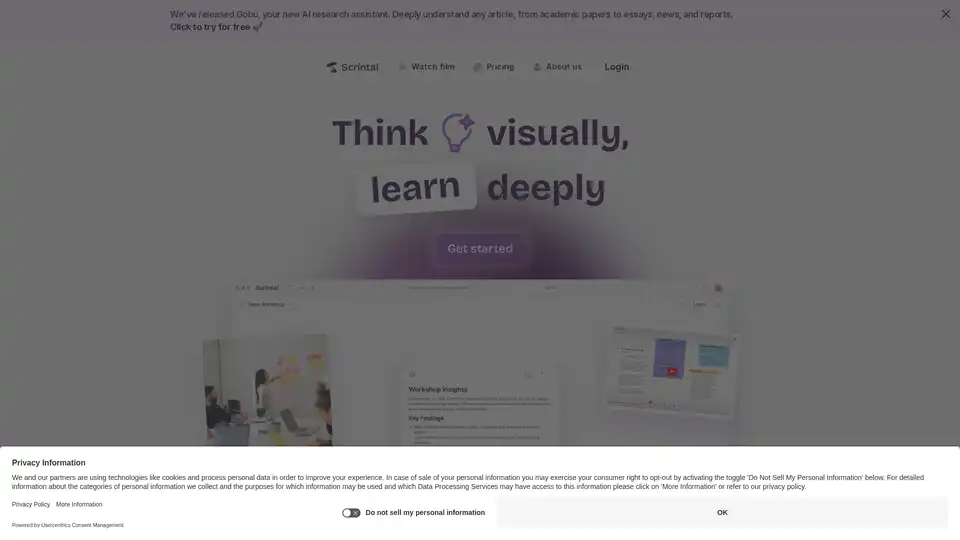
Scrintal is a visual note-taking and research tool designed to help users organize and connect ideas effortlessly. It offers an infinite canvas, AI assistant, and collaborative features for enhanced productivity.

Code to Flow simplifies complex code logic instantly using AI, helping you understand code flow with interactive flowcharts, sequence diagrams, and class diagrams. Supports multiple languages and export formats.
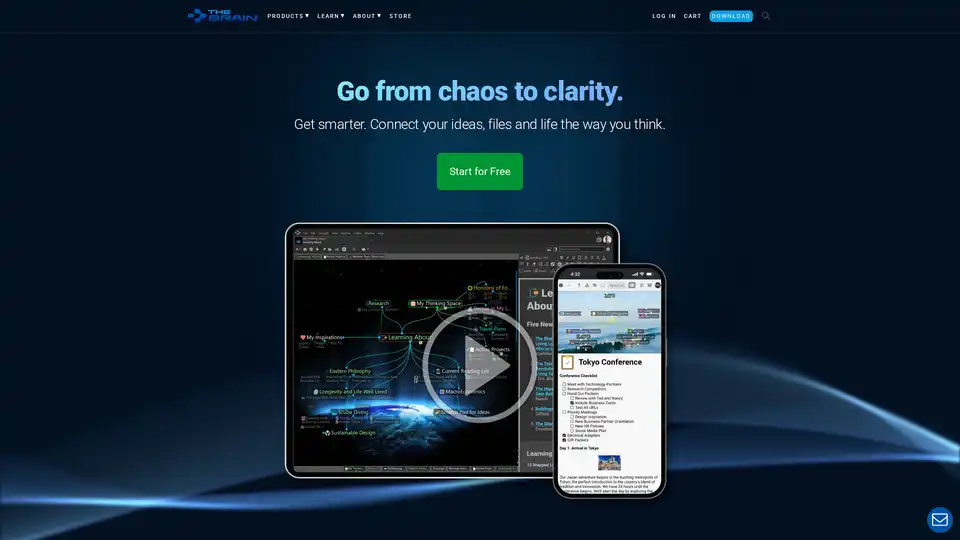
TheBrain is a digital brain software that helps you connect ideas and visualize tasks. It allows you to manage information, capture ideas, and collaborate visually with your team.

Constella is an AI-powered second brain app with a visual canvas. It helps you capture thoughts, recall related ideas, and build knowledge. Features include AI-augmented canvas, seamless deep thinking, and instant capture.